

Step 1: Go to Your Portfolio Editor
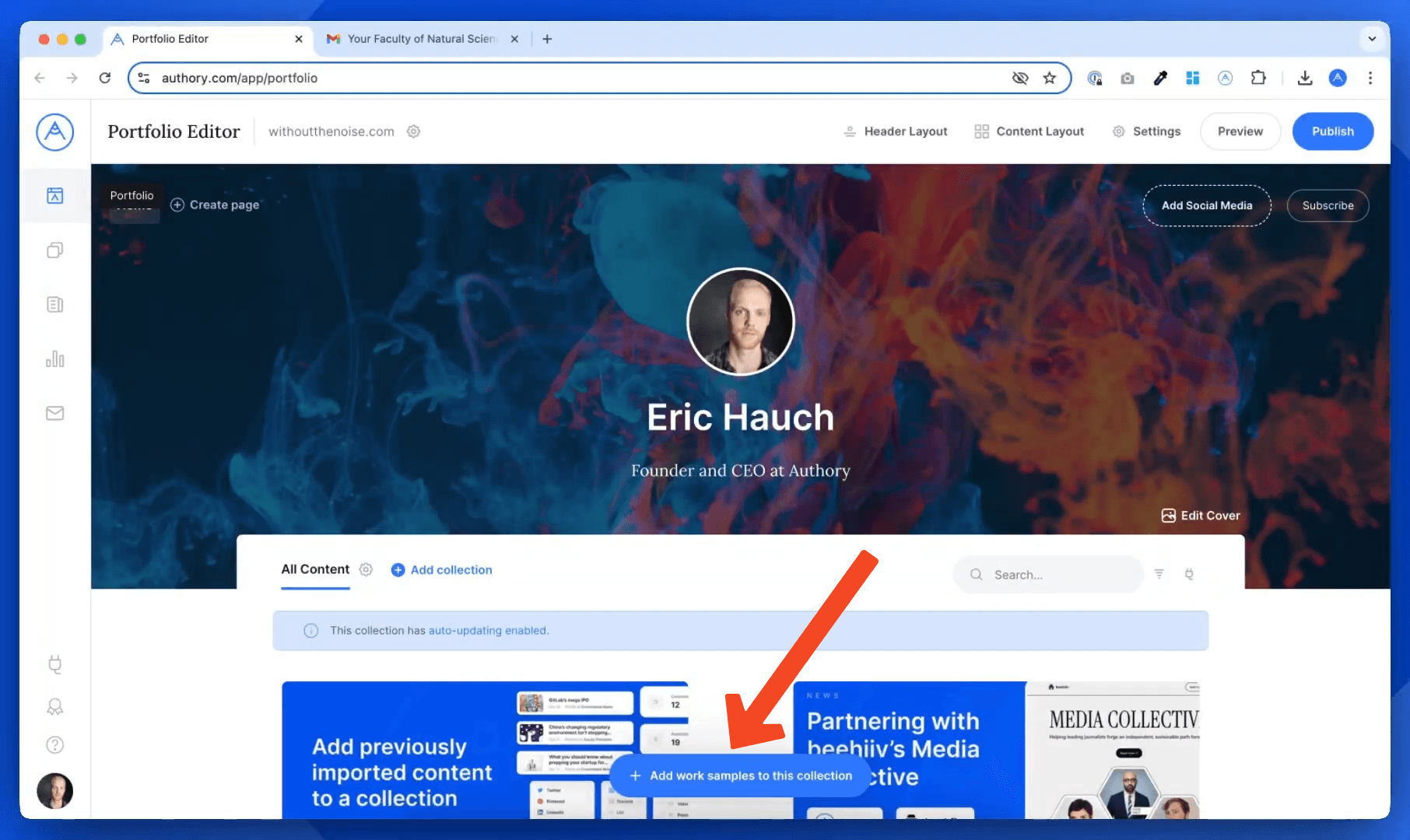
- Open your Portfolio Editor.
- Click on Add Work Samples.
Step 2: Select "Import or Upload New Content"
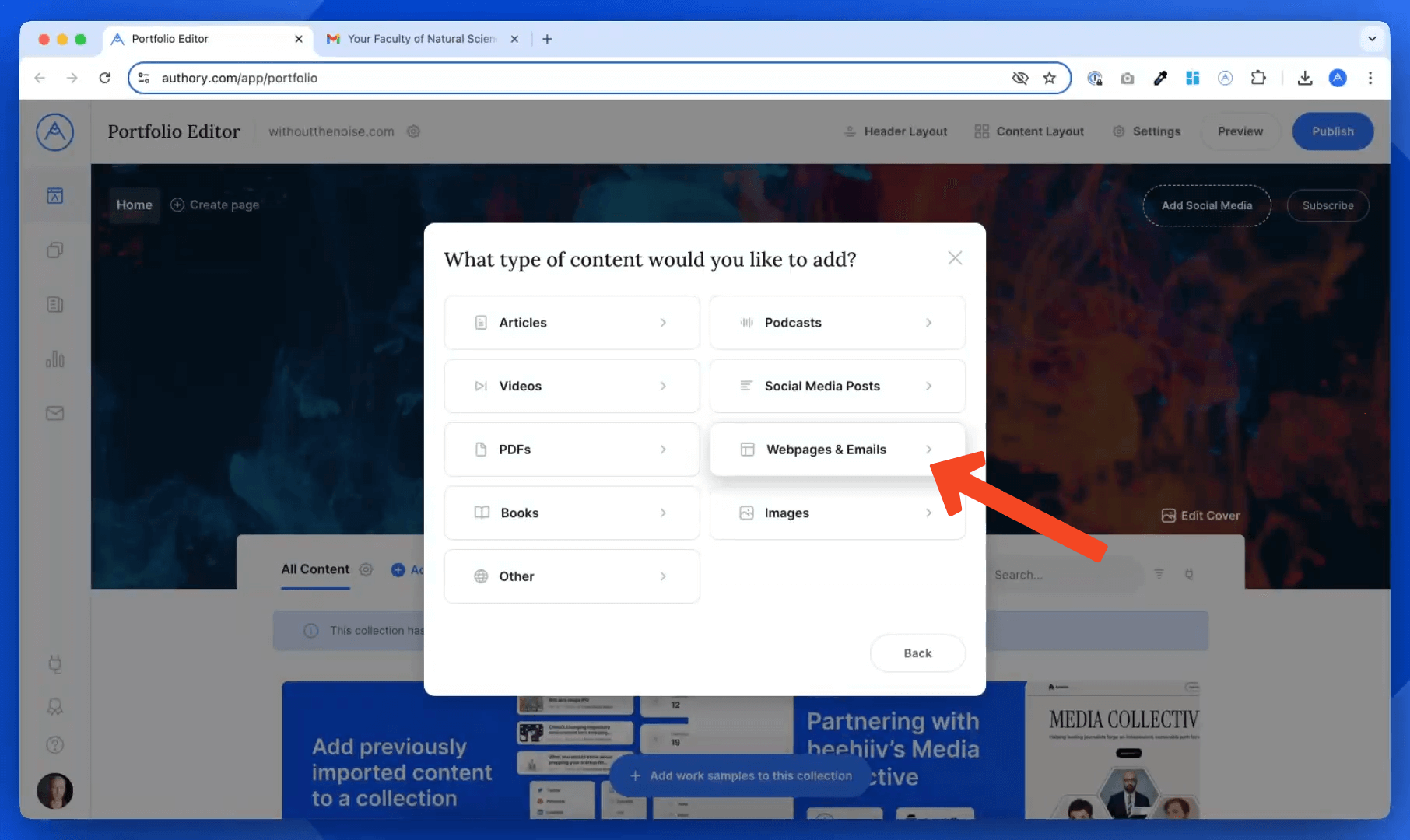
- Click on Import or upload new content.
- Choose the Web Pages and Emails option.
- Select Emails as the content type.
Step 3: Get Your Secret Authory Email Address
You have two options:
- Upload a screenshot of an email
- Let Authory take a screenshot of the email automatically. Here is how:
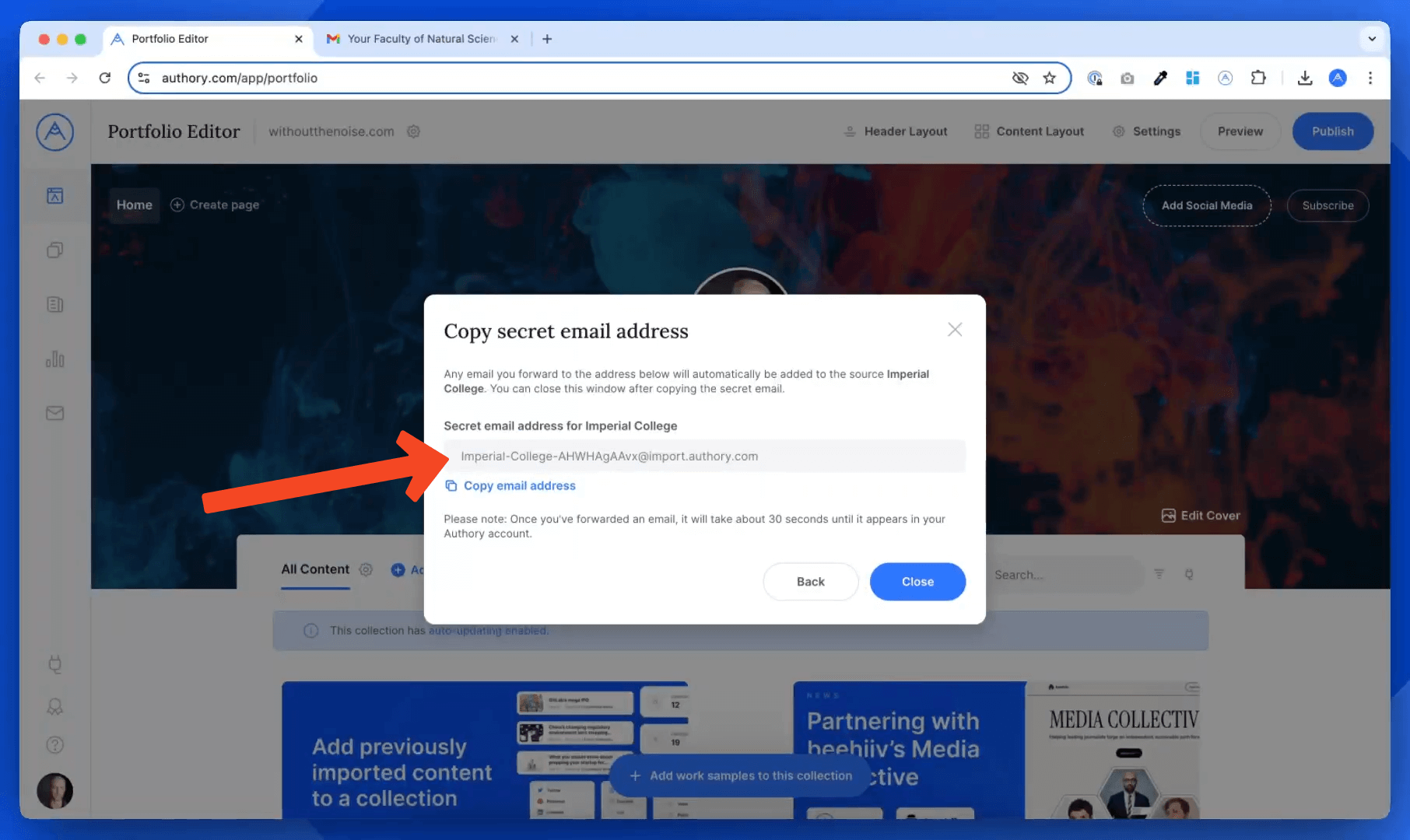
Authory provides a unique secret email address for each source you have in your account:
- Select an existing source or create a new one (e.g., "Imperial College Newsletter").
- Copy the provided secret email address.
Step 4: Forward Your Email to Authory
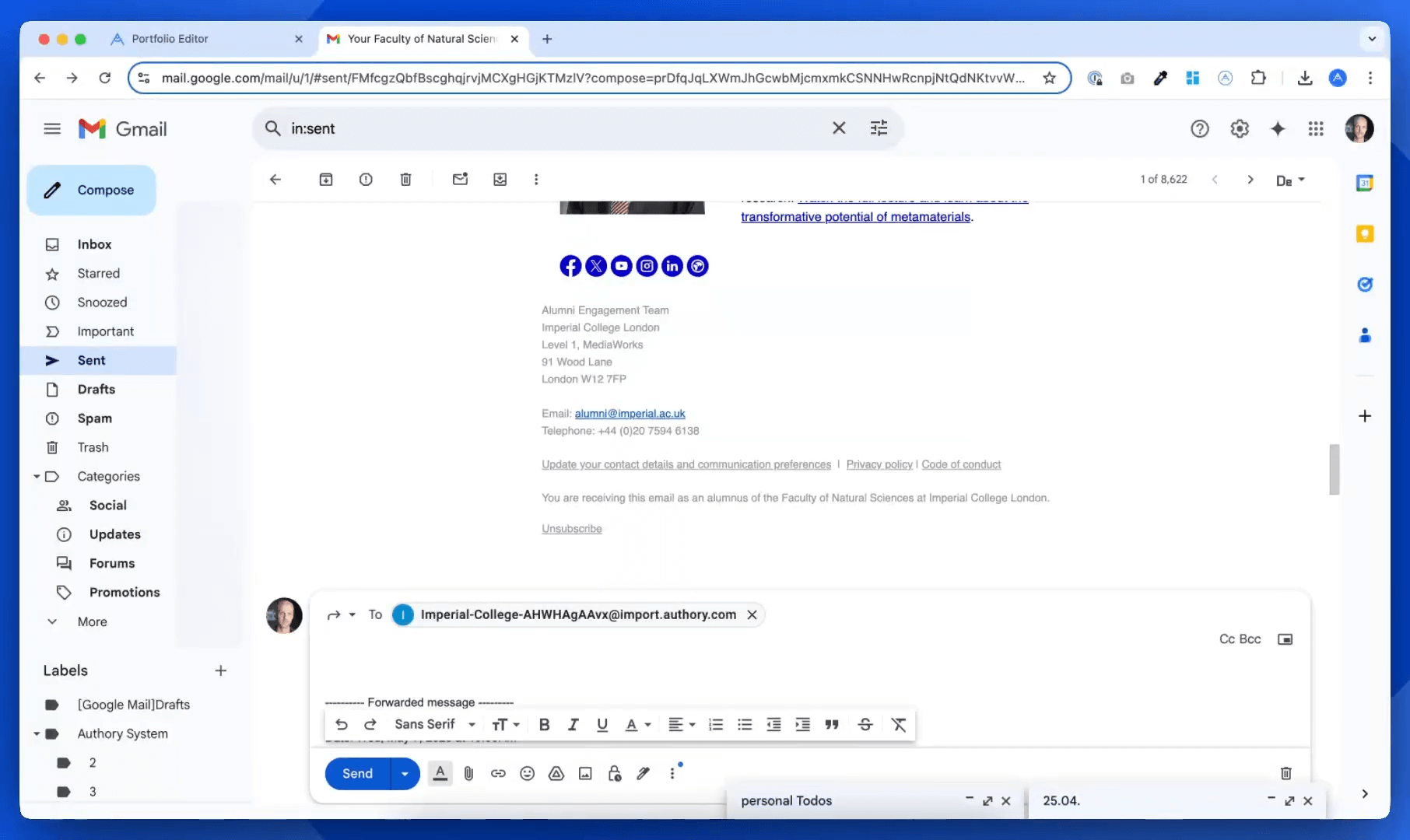
Now, open the email you want to showcase on your portfolio:
- Click Forward.
- Paste the copied secret Authory email address.
- Important: Remove the forwarding headers (e.g., "Forwarded message") to ensure a clean screenshot.
- Send the email.
- Authory will automatically take a screenshot and add it to your portfolio.
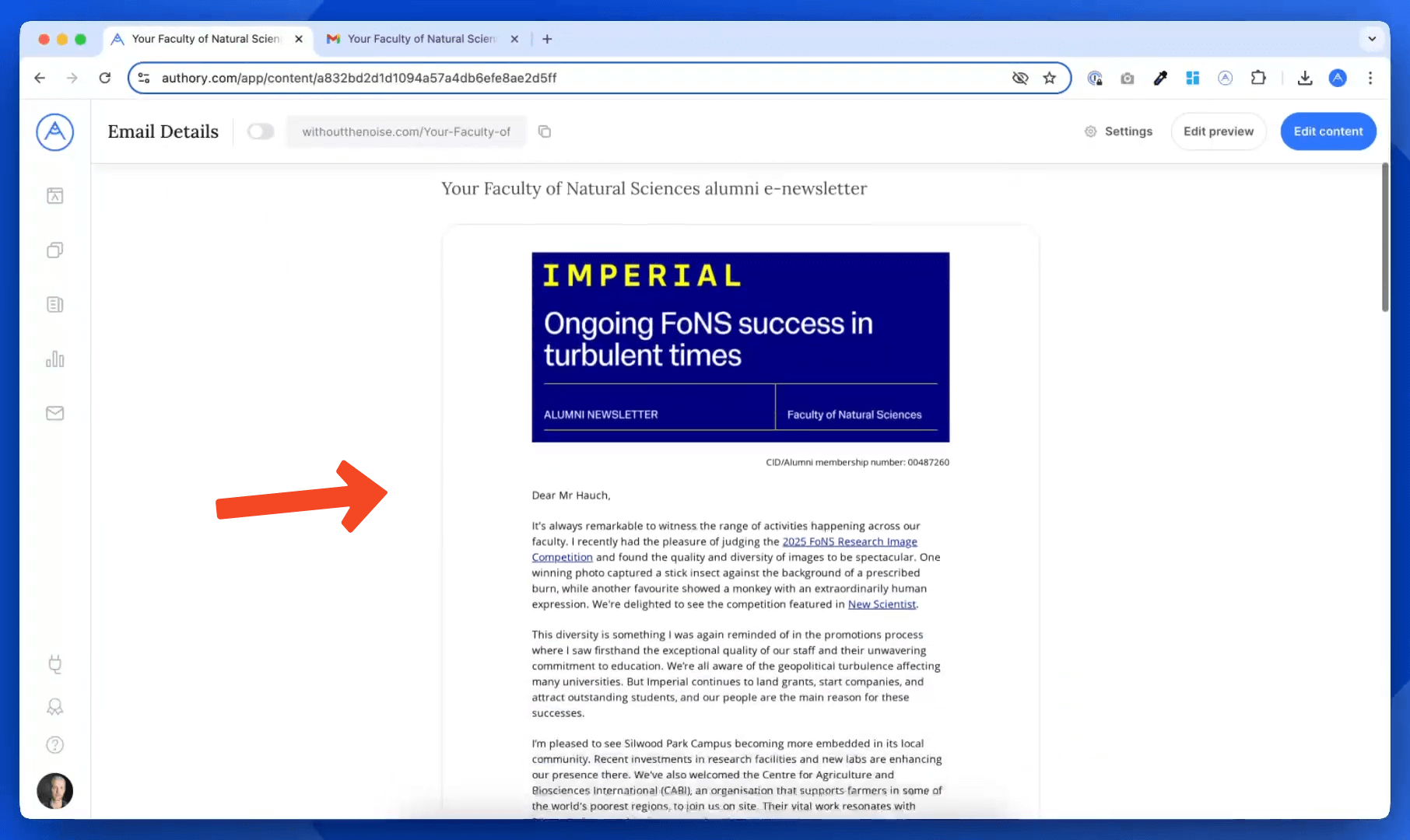
Step 5: View Your Email on Authory
- Your forwarded email will appear shortly (usually within seconds).
- A beautifully rendered screenshot will be automatically generated.
- The email is now part of your public portfolio as a visually appealing work sample.
Automate Adding Future Emails
Want to automate this further?
Set up automatic forwarding rules in your email client (e.g. Gmail) and automatically forward newsletters or emails you author directly to the secret Authory email address.
Your portfolio will update automatically with every new email work sample you create.
That’s It!
Adding emails as visual work samples on Authory is fast, easy, and automated which is perfect for showcasing your best email-based content.
Still have questions? Visit our Help Center or email hello@authory.com.
