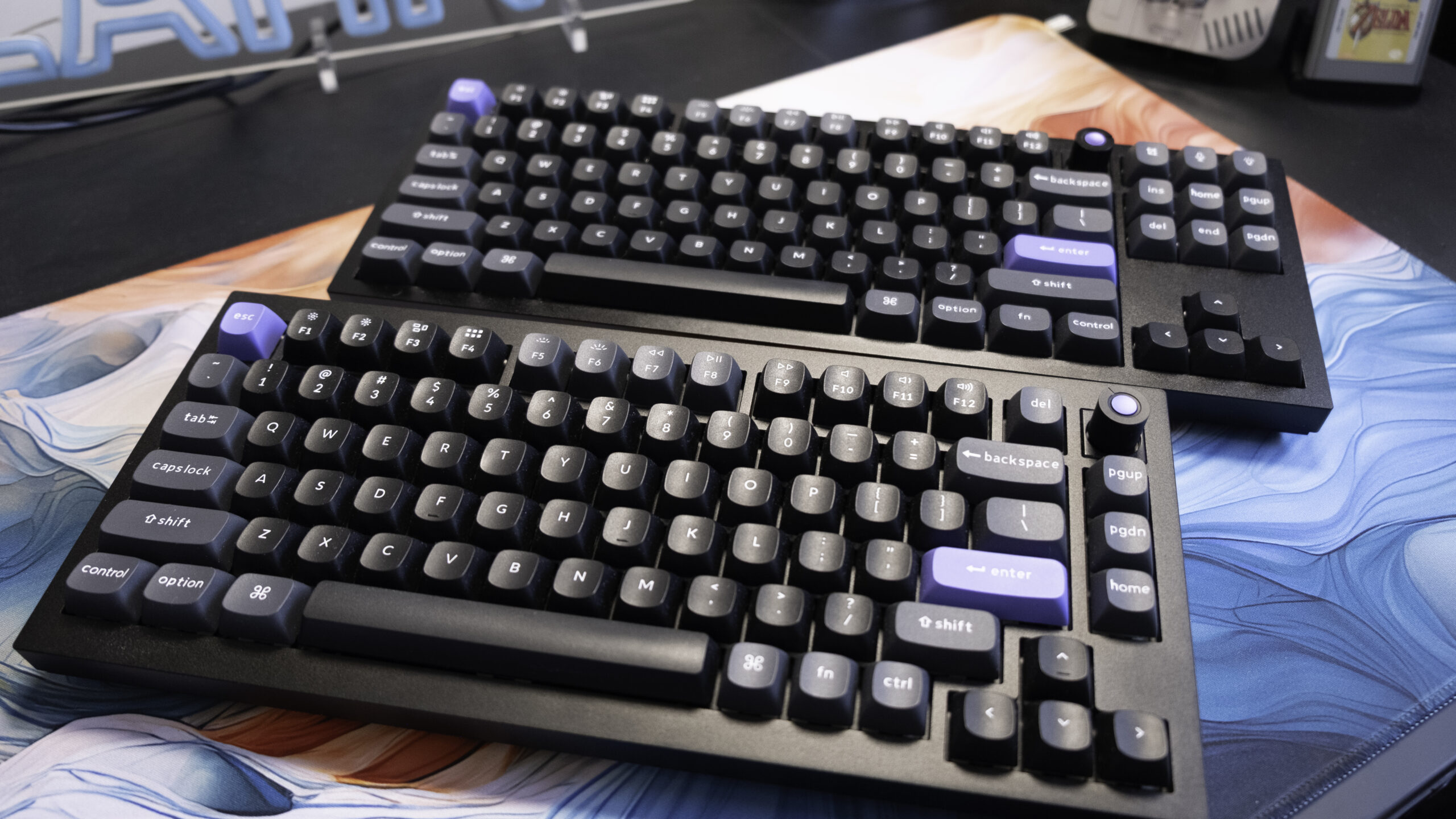
Keychron is best known for its budget K-series mechanical keyboards, which offer a solid typing experience, joint macOS and Windows compatibility and a unique look at a low price, but the firm’s fancier Q-series boards are also worth knowing about. The Q1 HE 8K and Q3 HE 8K, for instance, offer significant boosts to build quality and materials, high-end FPS-focused features and a trendy web app for customisation. I’ve been testing both the TKL/80% sized Q3 and the 75%-sized Q1 for the past two months, and I’ve got to say that I’m impressed.
Compared to their equivalent K-Series keyboards (so that’s the K8 Max for TKL and K2 Max in the 75% category), these boards are nearly double the price, going from $125 each to $230/£230 for the Q1 and $230/£250 for the Q3. That’s a huge uptick, but looking just at the weight hints at where the money is going.
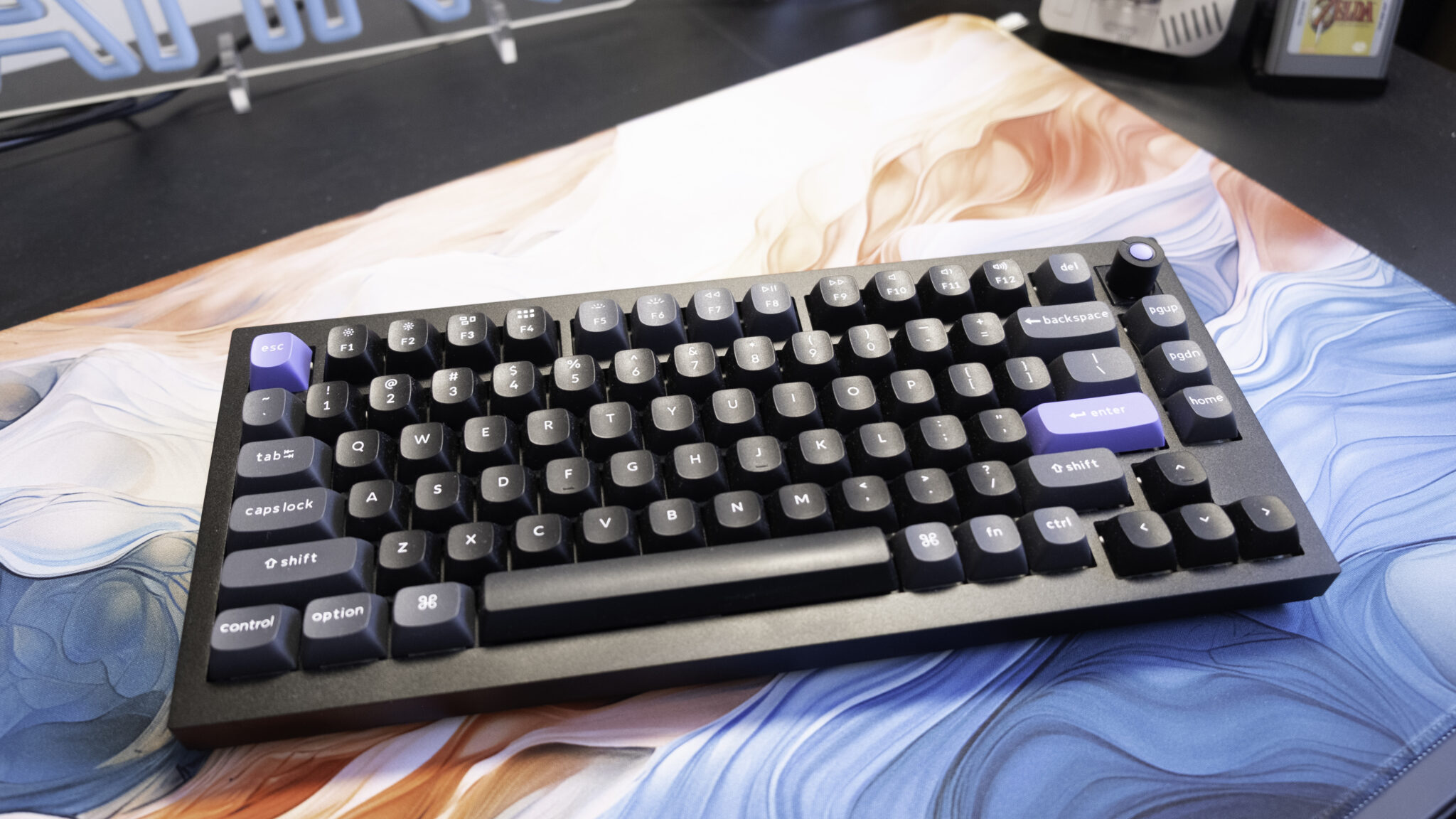
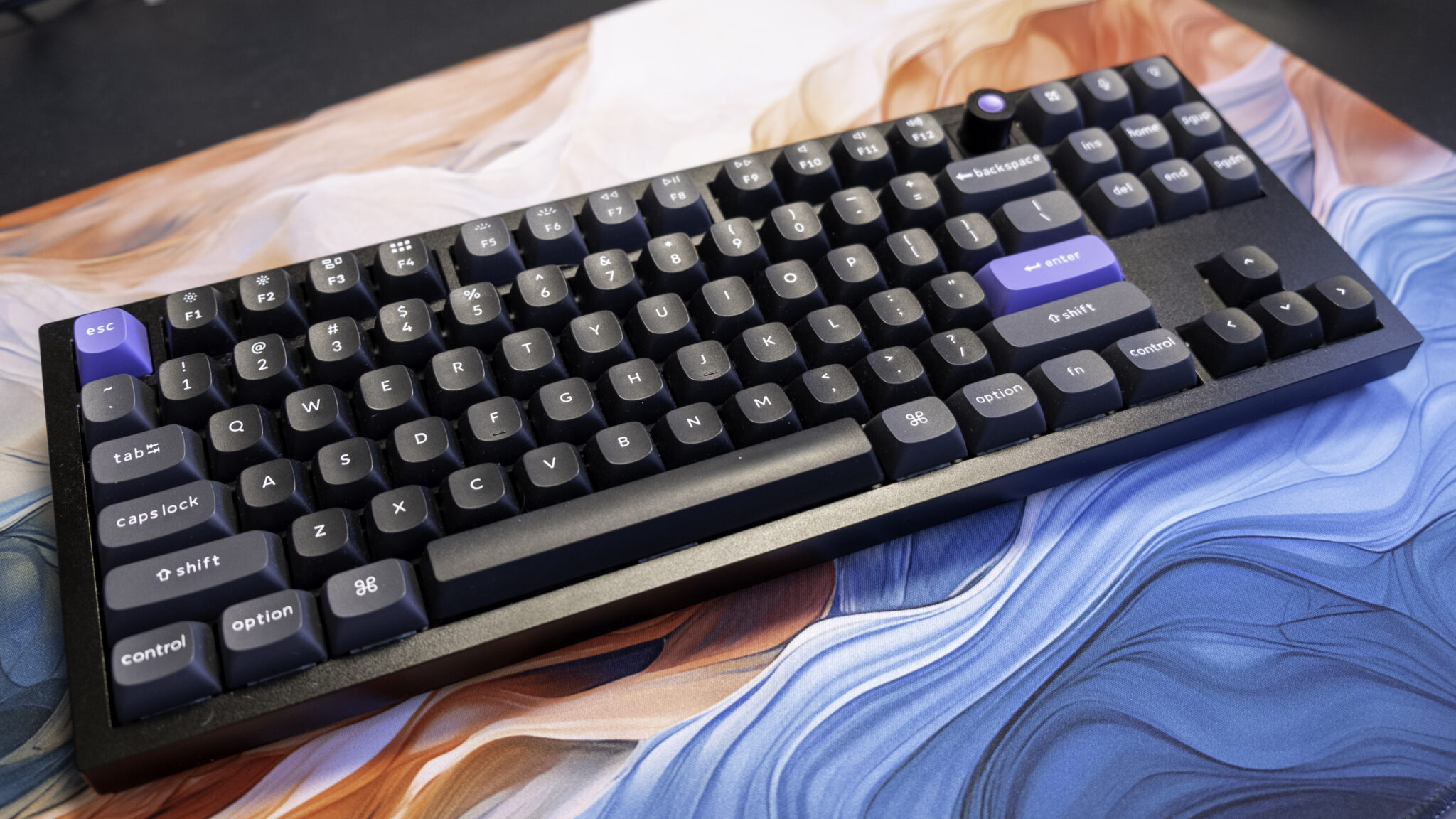
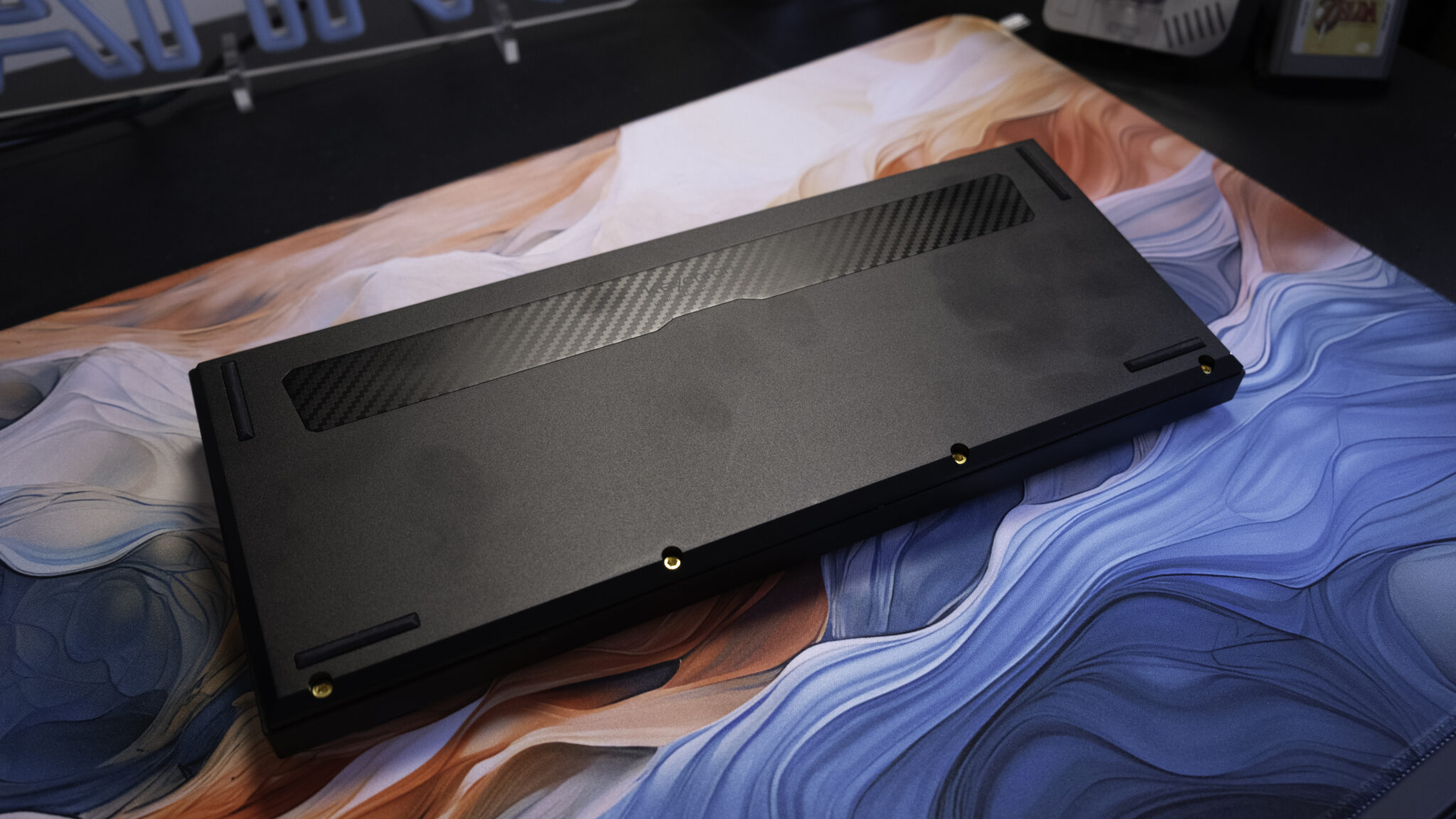
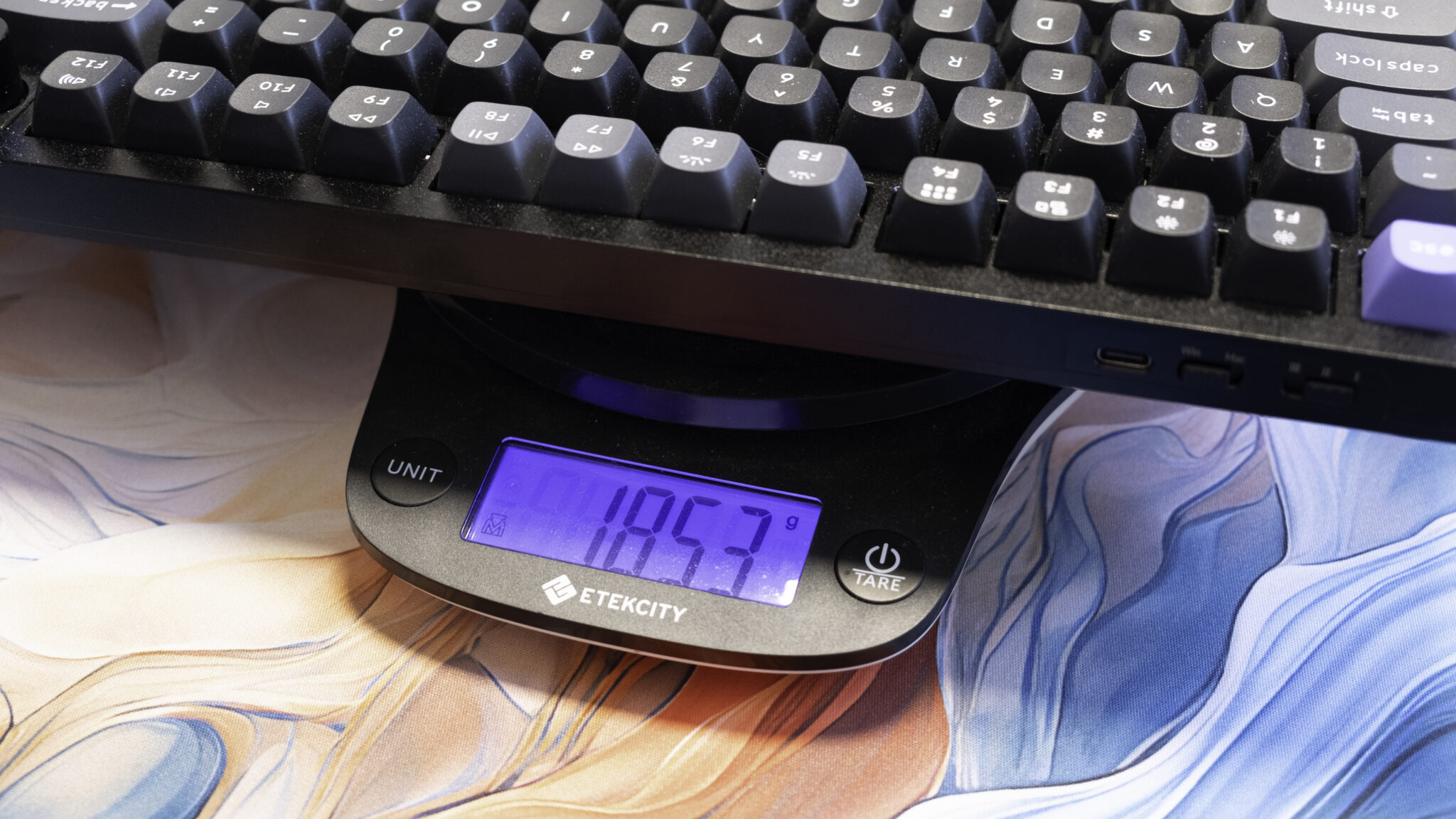
For example, the Q1 HE V3’s 6063 aluminium frame contributes to a weight of 1.7kg, despite being a compact 75% size board, which is about double the 0.8kg mass of the same-size Keychron K2. The TKL-sized K8 Max is a bit better built, at around 1.3kg, but the Q3 HE 8K still outweighs it by a good half a kilogram. That extra weight helps keep the keyboards firmly planted on your desk, but more importantly it results in a design that produces deeper and more desirable typing tones, better stands up to punishment and feels much more premium to the touch. Of course, you’d definitely not want a heavier keyboard if you travel with it, but Keychron already makes plenty of ultra-light low-profile keyboards for that purpose. In contrast, these are designed to be plunked dramatically on a desk and then stay there, with plenty of gaming and typing features rather than a focus on multiple-device wireless connectivity.
Let’s get into those Q-series features then. As the name suggests, these keyboards are built around Hall Effect switches, a popular choice for gaming as they register key presses faster, last for millions of keystrokes longer and have some special abilities. To wit, Hall Effect switches use a magnetic sensor that can detect not just when a key is pressed, but how far down it has travelled. That gives you some unique customisation options, like setting exactly how far down you want to press before a keypress is registered, so you can make one key or the entire board more or less sensitive – to speed up inputs or prevent accidental keypresses.
It also opens the door to more complicated effects. For example, if you fire up the Keychron Launcher web software, you can enable rapid trigger mode, a feature that does away with the traditional logic of a key press or key release being registered when the key hits a certain point in its travel. Instead, key presses and releases are triggered on a change of direction, no matter the distance, so you can quickly press and release a key repeatedly rather than having to let it fully rebound before pressing it again. This is really useful for rhythm, FPS or adventure games, where faster and/or repeated inputs give you an advantage.
There are funkier options too, like binding multiple actions to different stages of a key press and key release. For this one, imagine you want to throw a grenade in an FPS game. You could set the first stage of the key press to draw the grenade, the second stage to throw it, and the release to swap back to your previous weapon. There’s also SOCD, a banned featured in Counter-Strike 2 that trivialises advanced side-strafing mechanics, letting you swap between side-stepping, coming to a stop and moving again by prioritising the last key pressed in a pair (like A and D). You can even use keys as full analogue inputs, which is brilliant for your accelerator and brake in a racing game – even if it’s not quite as good as a proper controller.
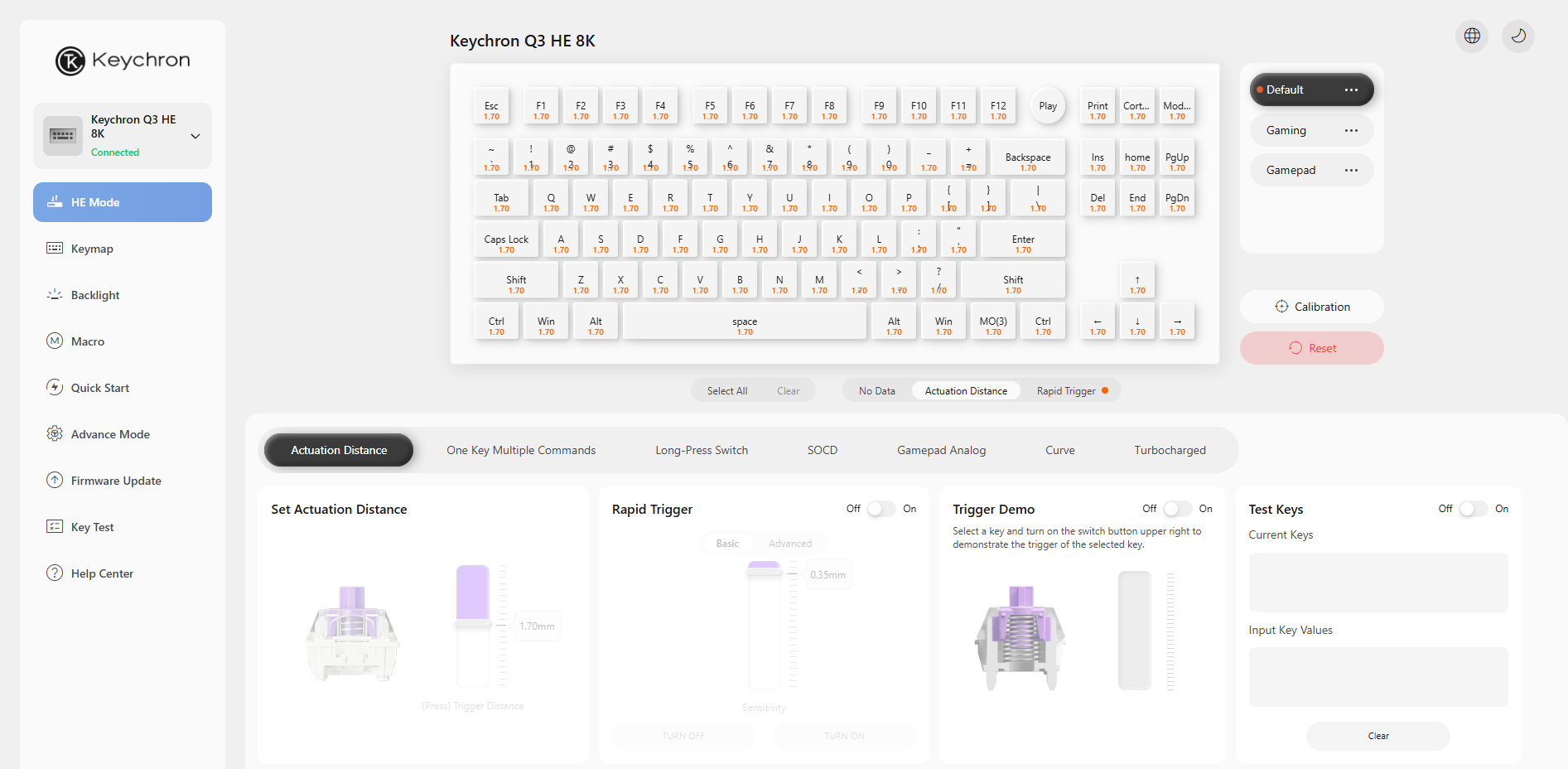
There are plenty of Hall Effect keyboards that offer these sorts of features, but the Keychron Launcher web app is one of the best I’ve seen when it comes to making it easy to enable them, explaining why they might be useful and allowing for meaningful changes to how or when they work, without drowning you in jargon or hiding them away in the bowels of a poorly written app. I appreciate web apps replacing downloadable software too, as you don’t need to find a download link or keep programs running in the background, sapping your computer’s resources. Instead, it’s just a case of visiting a single web address, allowing access to the keyboard in the browser, and returning whenever you want to make more changes.
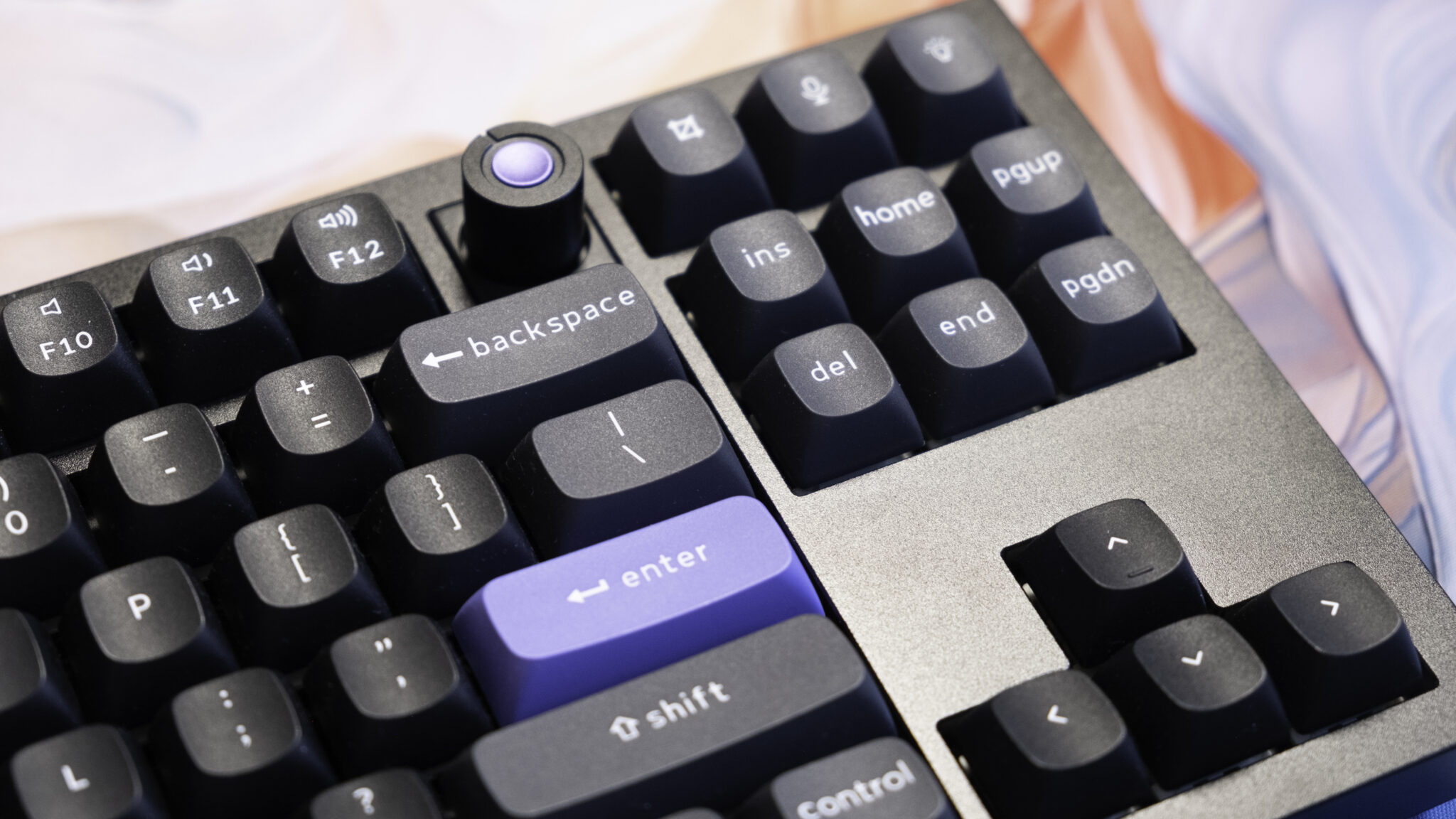
There are some nice hardware elements that are unique to the Q-series boards too. For example, 8000Hz polling is delivered thanks to an up-rated MCU board, which reduces latency fractionally, but my favourite hardware feature is rather simpler: a knob, which sits to the right of the F12 key on both boards. The knob has a button in the centre to mute your music and scrolls to adjust the volume by default, but you can bind it to any input or macro as you prefer. It could be used for skipping tracks, for example, or zooming in and out of a webpage, or horizontal/vertical scrolling. Corsair’s recent Vanguard keyboards have a better implementation, in that it comes with all of those features and more by default and you can swap amongst them by pressing another key, but I don’t mind the extra setup time here too much.
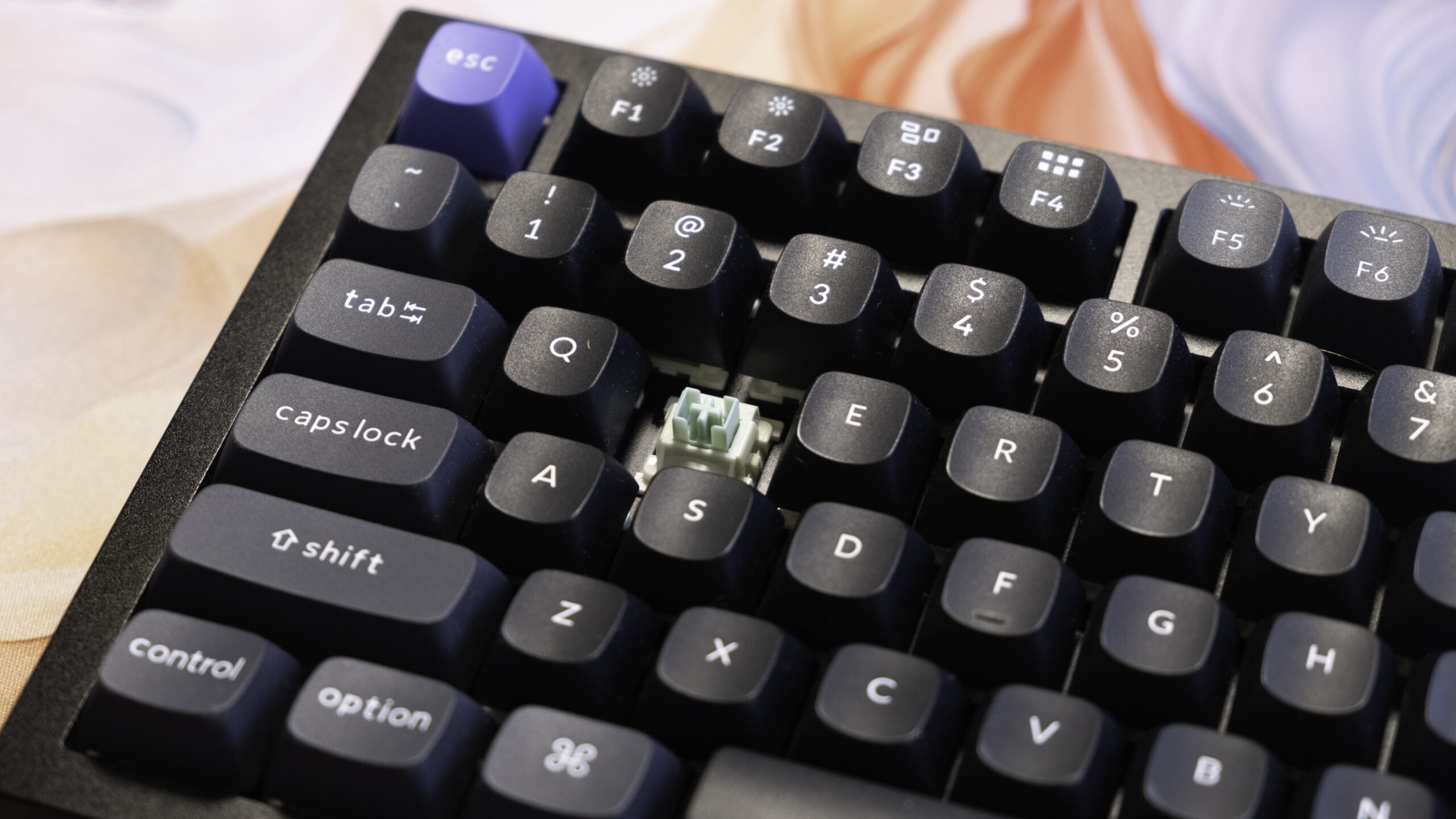
I mentioned the typing experience before, and it’s worth underscoring exactly how much the Q1 and Q3 get right here. The double gasket design and lubricated linear switches produce an extremely smooth and consistent keypress from top to bottom, with none of the scratchiness you sometimes get on standard MX-style mechanical switches. The force required to press each key is moderate to high, ranging from 30 -55g on the Q3’s Keychron Ultra-Fast Lime switches to 40-60g on the Q1’s Gateron Double-Rail Magnetic HE switches, so you may find presses a little exhausting if you’re coming from a lighter low profile keyboard. Screw-in stabilisers also ensure that the larger keys press down with greater stability.
There are also multiple layers of foam and silicone included for sound-dampening purposes, giving key presses a relatively deep and definitive report, rather than the more hollow sounding pings you’d expect from early mechanical keyboards. The keyboards aren’t quiet by any means, but they’re significantly more pleasant-sounding than your average mechanical keyboard, and much less likely to disturb others working or gaming in the same space as you.
Keychron has also paid attention to the shape of the keycaps, with a unique OSA (OEM spherical angled) profile. This means that the keycaps have a rounded design, with a subtle well in the centre to ensure you’re pressing down straight, and they posses a surprisingly smooth feel for double-shot PBT keycaps. The caps should last for decades without being shiny or wearing through, and the only real criticism I can level is that they’re not shine-through, so the RGB backlighting behind each key is more for vibes than late-night visibility. Of course, both switches and keycaps are hot-swappable, so you could always make changes if you’d prefer a different look or feel – with the proviso that only a short list of similar switches are available rather than the full gamut of mechanical alternatives.
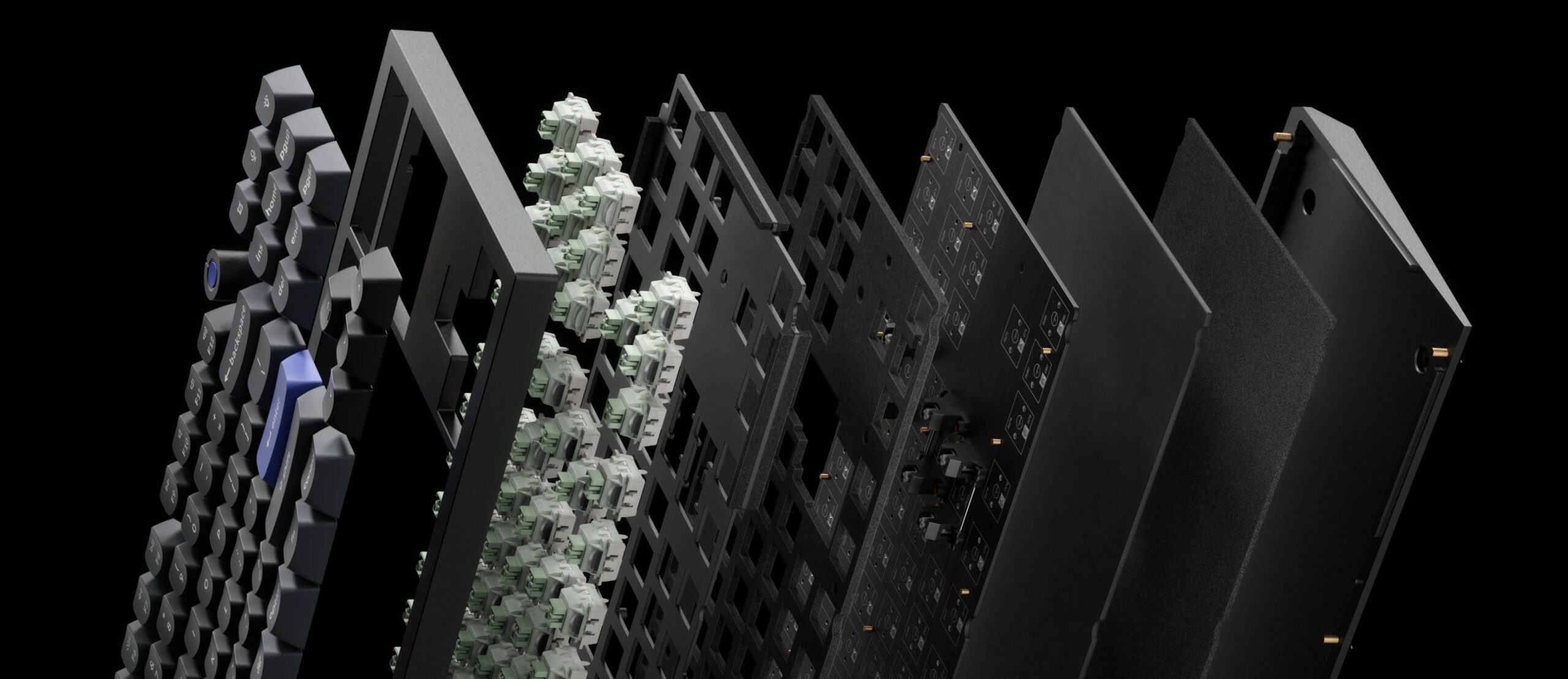
Given the high-end materials, the extremely evolved internal design that sandwiches metal, foam, plate, PCB and switches, and the well-chosen keycaps, it’s not surprising that the typing experience here is extremely satisfying. The keyboard feels and sounds good when you use it, it works reliably, and it’s easy to swap between macOS and Windows layouts as you prefer. I have the Q1 hooked up to my Mac Mini server and the Q3 hooked up to my Windows gaming and work PC, and both have scarcely moved over the last two months, even with plenty more keyboards to test. They just do the job expertly, and that’ll make it hard to move on!
I think that just about does it when it comes to describing these keyboards, so I’ll conclude by saying that while the Q1 and Q3 HE 8K are not as good value as their cheaper predecessors, they are still hugely impressive bits of engineering – and well worth considering against similarly expensive all-singing and all-dancing keyboards from the likes of Corsair, Razer and Logitech. The build quality, web software and typing experience rival or surpass anything I’ve tested from these three Western gaming brands, and Keychron comes surprisingly close in matching their gaming features too. You’re only really missing out on gaming integration, like having pre-made lights or keybinds for specific games, and that’s far from a deal-breaker for me.
If you like the look of these keyboards and have a big budget for your next upgrade, then the Q1 HE 8K and Q3 HE 8K are well worth a try in their respective size categories. If value is key for you, then Keychron’s cheaper K-series or V-series options are a better shout. Try the Keychron Keyboard Finder to get an idea of what’s available with the size and features you’re most interested in.