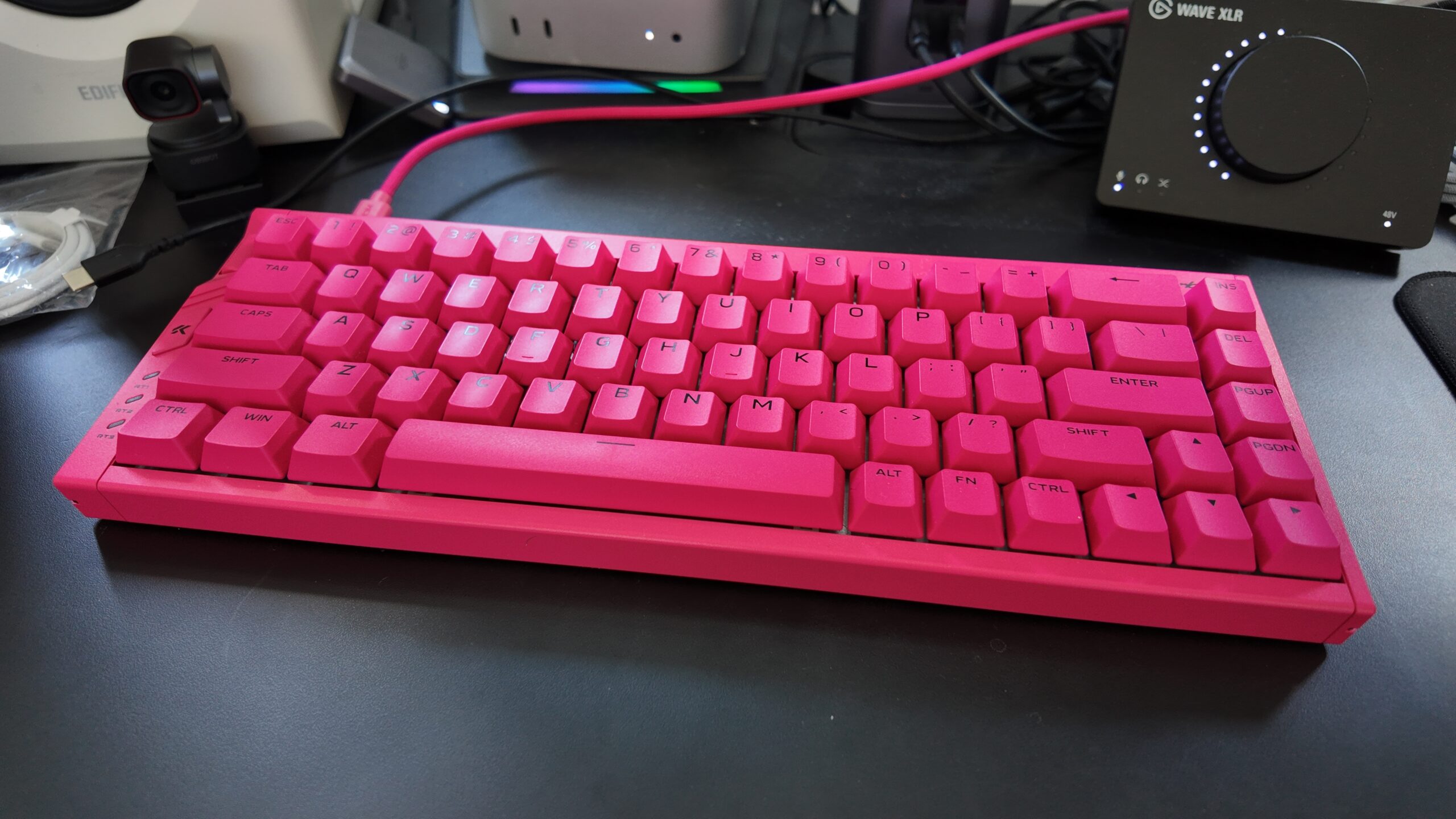
Mchose produce some of the best esports-focused gaming mice available, but they have also put their name to keyboards and even headsets. I’ve got one of the former in today, the Ace 68 Turbo, which is one of the best-looking mechanicals I’ve tested – thanks to a bright “berry red” colour scheme that extends throughout its 65% size layout, including its PBT keycaps and weighty 1.3kg aluminium chassis.
At $139, the Ace 68 Turbo is expensive for a standard gaming keyboard, but relatively affordable for one that comes with competitive-minded features like high polling rates (in fact, the “world’s first 16K polling rate”), a dedicated rapid trigger switch and “next-gen” Hall Effect sensors within each switch. I’d expect a similar offering from a major brand like Corsair or Razer to attract a near-$200 price point, so $139 feels reasonable for a more boutique offering.

Before I get into the gaming features, it’s worth underscoring the fact that this is a pleasant keyboard to use for typing as well. In fact, I’ve been using this board for writing, coding and editing for the past month, and it produces a satisfying report. It’s surprisingly loud, with its layers of sound dampening changing the tone of the clatter rather than quieting it, but its deep character proved popular with visitors to the office. The 65% layout works well enough for me, with most applications not requiring frequent use of the function row that this layout excises, and I appreciate the extra desk real estate that you get in return.
The gaming side of the equation is a little more interesting, with that extremely high polling rate requiring a USB 3.0 cable – something almost no other keyboard does. That is annoying, as it means I couldn’t use the hub that I normally test with, but it does suggest that the keyboard is actually sending more data than a standard 1K or even 8K polling rate board. I couldn’t feel a difference in-game, however, and the return on investment is beyond miniscule – you’re going from polling every 0.125ms at 8K to polling every 0.0625ms at 16K, which is effectively no improvement at all when you consider the full input lag chain.
For the bulk of my testing, I used the keyboard at 2KHz, which has less of a CPU burden, is fast enough even for FPS and other timing-based genres, and accessible via a regular USB 2.0 cable. I’m curious if anyone truly feels a benefit from higher polling rates, so do sound off in the comments with your thoughts.
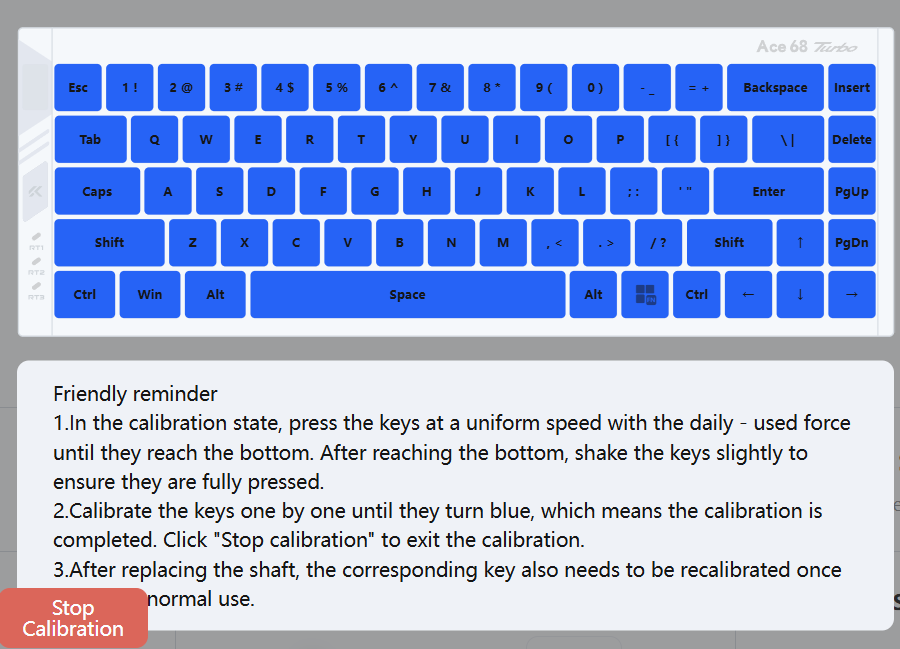
Actually enabling the 16K mode, if you’re interested, takes some doing. You’ll need to download and run a special driver, unplug and replug the keyboard, start the web software, update the firmware (if available), and then recalibrate each key by pressing it down and wiggling it (if you’ve updated the firmware). Only then can you go to change polling rate settings and make other changes.
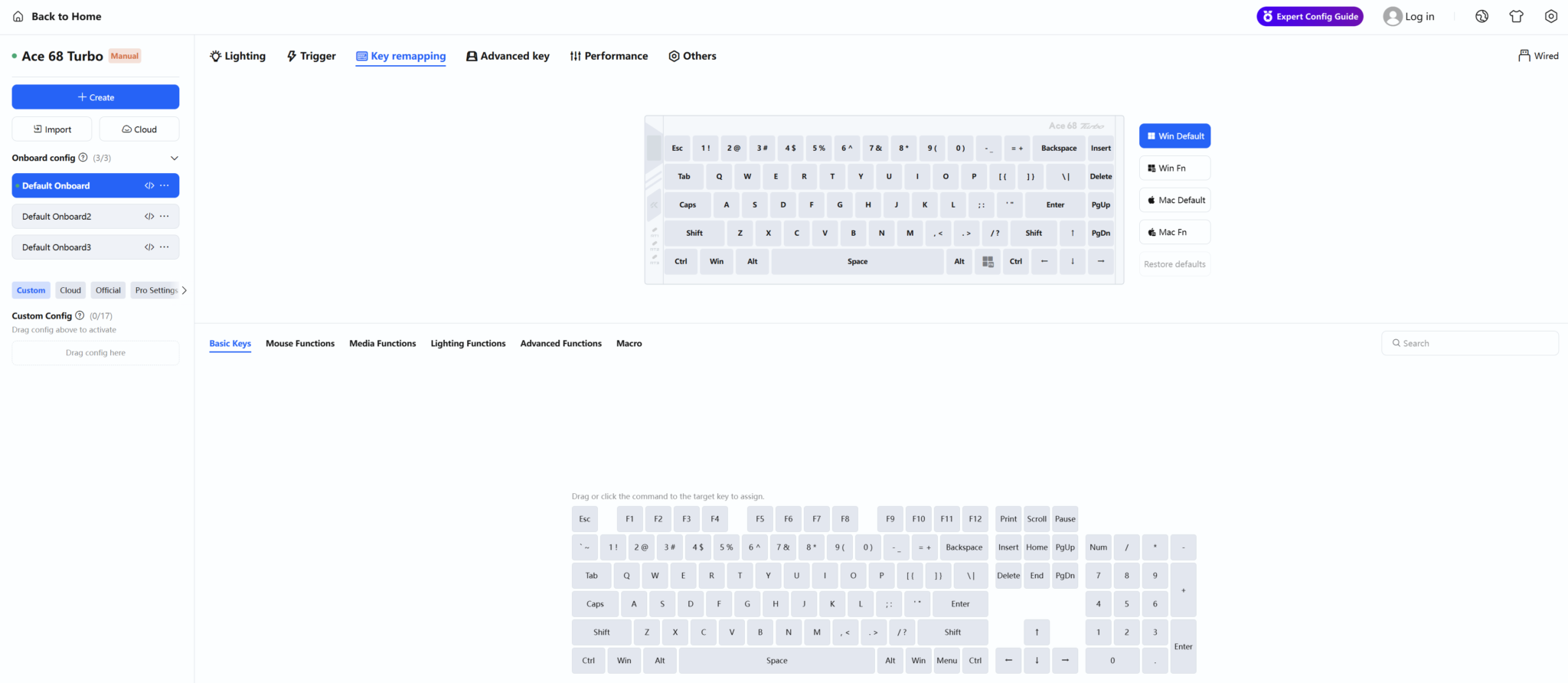
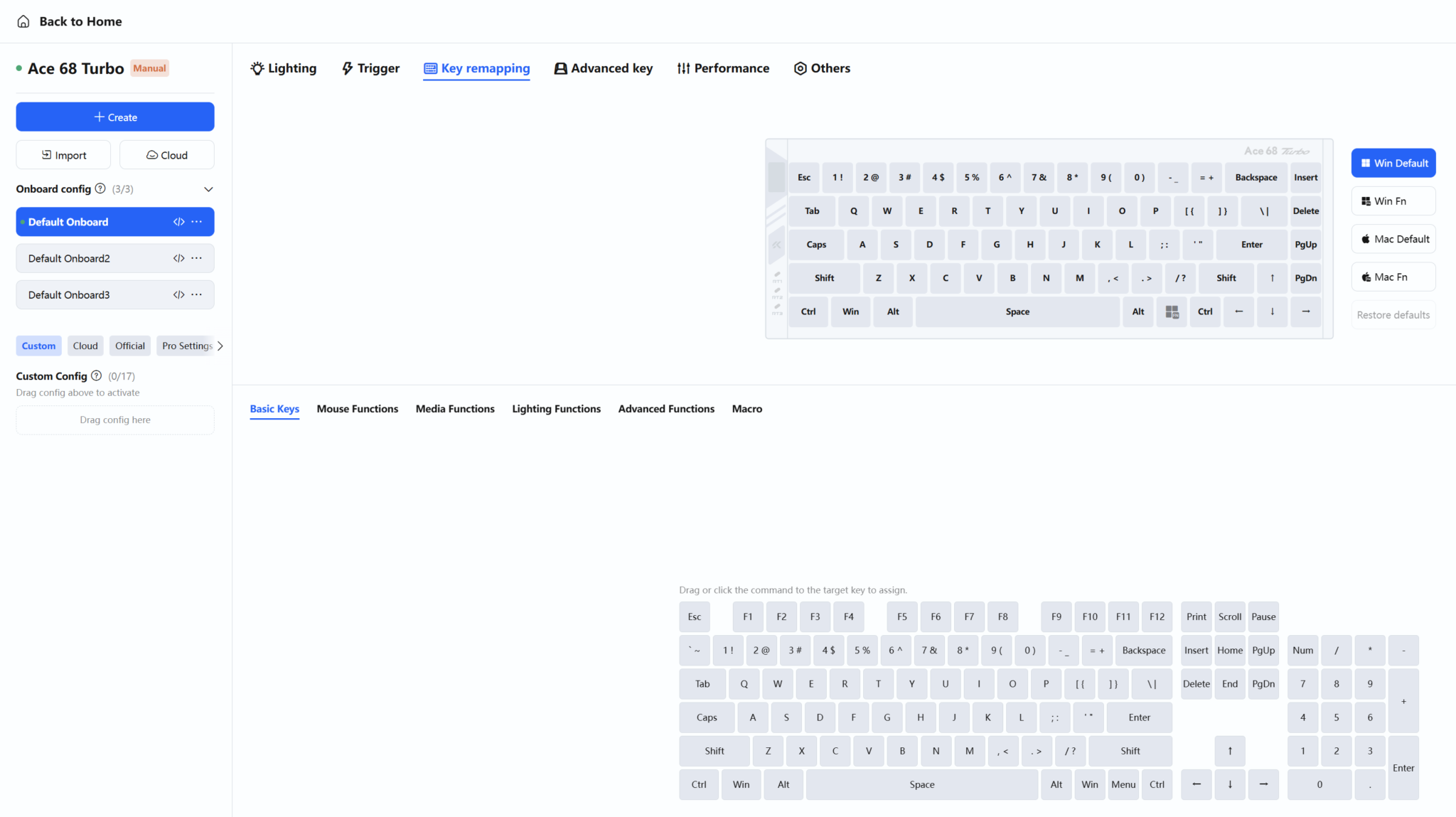
Thankfully, the web software is well laid out and easy to use after clearing this initial hurdle, with the full suite of analogue keyboard features pioneered by Wooting (and quickly adopted by Razer, SteelSeries and Corsair). That includes plenty of options mostly of interest to FPS fans, like SOCD (simultaneous opposing cardinal directions; a feature which speeds up counter-strafing) and DKS (dynamic key press; a feature which allows you to bind up to four different functions to different key press depths). Broader features also play a part, with rapid trigger to boost responsiveness and customisable actuation distance to adjust key sensitivity. I didn’t see an option to set keys to mimic an analogue trigger or joystick, which Wooting does allow for, but truthfully this isn’t needed if you have a gamepad handy.
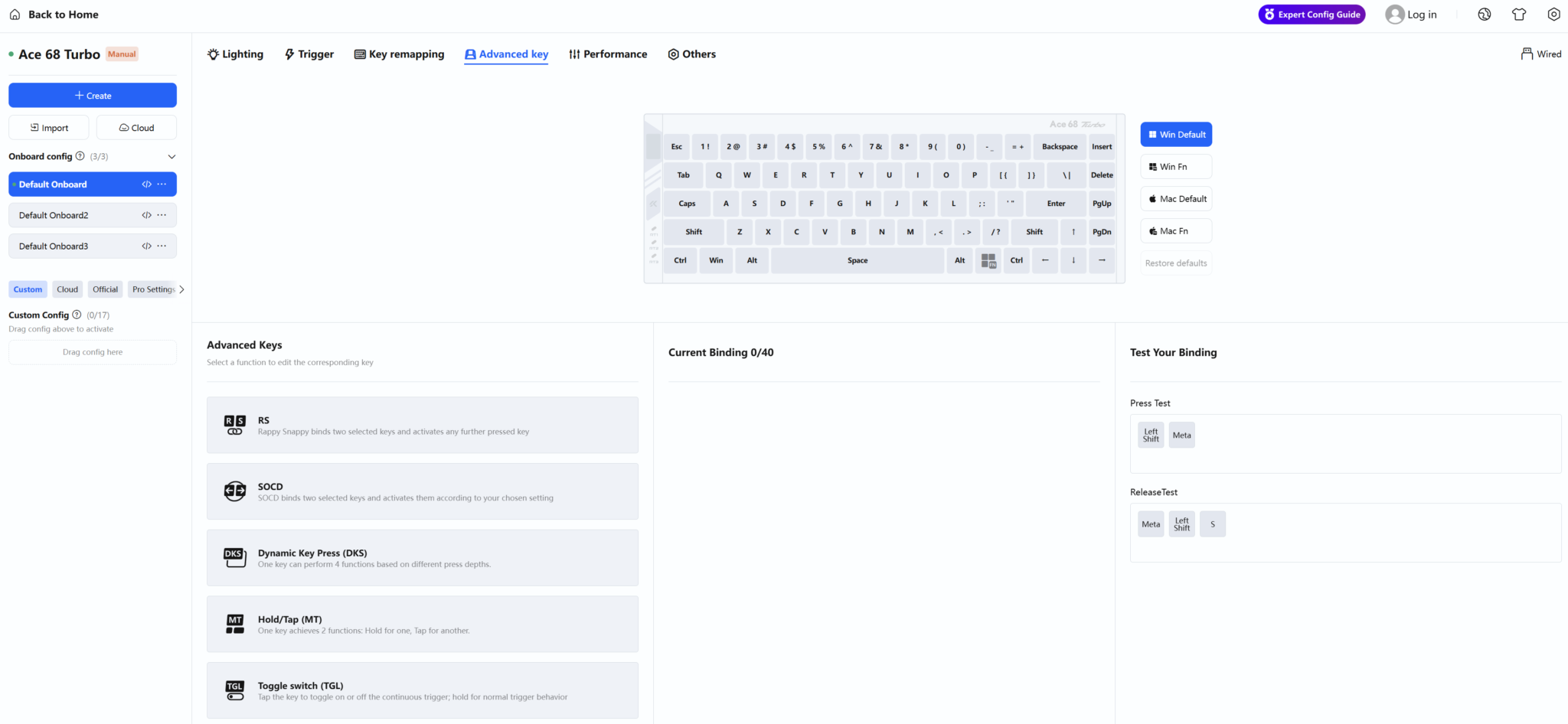
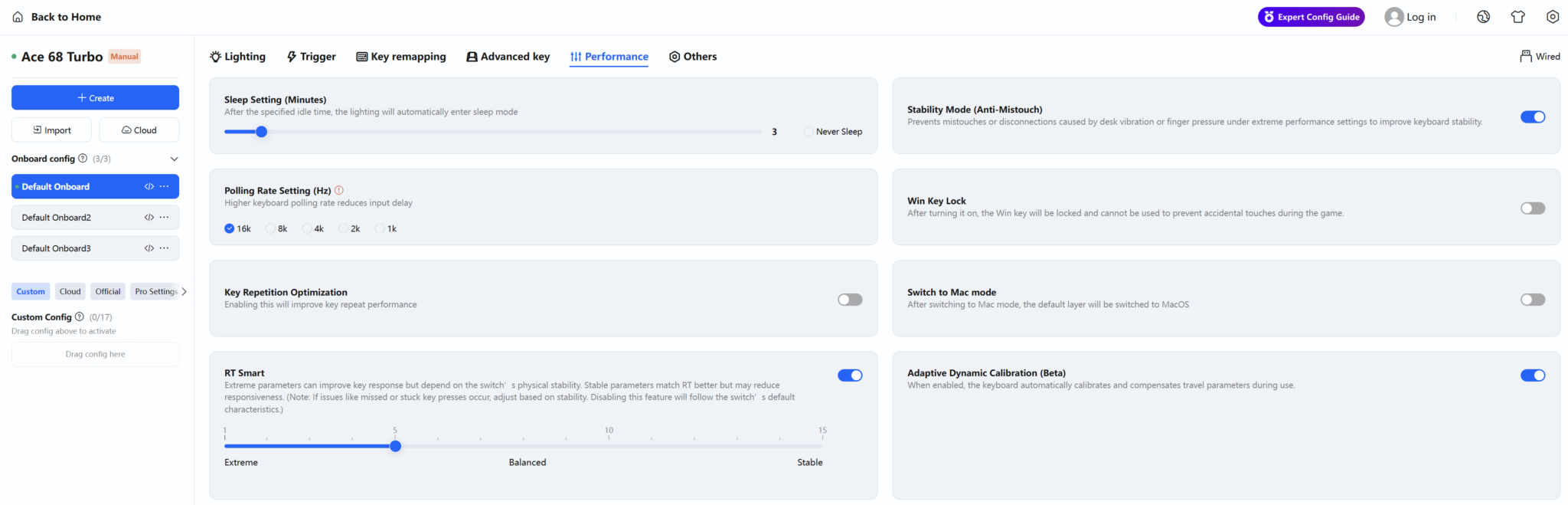
Beyond the polling rate shenanigans, I did find the Ace 68 Turbo a robust performer in the games I tested over the past month and a half. The extremely smooth linear switches are ideal for most timing-sensitive games, like Counter-Strike 2 or Clair Obscur: Expedition 33, and the relatively loud report can be heard even if you’re listening with headphones at a modest volume which is useful feedback.
The compact layout isn’t ideal for genres that require use a lot of keys, like simulation games or RPGs, but the Fn key in the lower right corner is easy enough to find for occasional use (like quitting a game with Alt + Fn + F4 or saving with Fn + F5). Having a dedicated switch for rapid trigger was also cool, as it made it easier to experiment with RT in different games without the usual alt-tabbing between the game and keyboard software.
The only real flaws I experienced with the keyboard were occasional drop-outs while typing on my second PC, which I believe are due to limitations with a USB dock I use there, and finding it a bit difficult to read the keyboard in pitch-black conditions due to its lack of backlit keys. Still, the berry red colour scheme wouldn’t work with key backlighting, so I’m fine with the decision overall – and with a nicely standard layout, I could always swap in backlit black or white keys for a cool two-tone look if I really wanted.
Overall then, the Ace 68 Turbo follows in the footsteps of the excellent Mchose mice that I’ve tested for Eurogamer and IGN, which have been uniformly great value options, products that hit surprising levels of polish and capability while being significantly cheaper than alternatives from mainstream brands. It’s great to see that extend to an entirely different category, and I’d happily recommend this board if its looks, layout and features strike your fancy.
You can find the Ace 68 Turbo at the Mchose Store in a range of colours. It’s currently $139 plus shipping, with a UK address quoted at an extra $16 shipped (~£120 in total) – which comes under the £135 customs threshold.