In the previous post, we went through the steps to build a backend for an RAG application. This is cool, but not being able to demonstrate it is no fun.
The process for RAG is to retrieve data from the vector database and insert it into a prompt. To query the database, the query has to be encoded as a vector before sending the query.
# creates embeddings
def get_embeddings(text,model="text-embedding-3-small"):
   response = client.embeddings.create(input=text, model=model)

   return response.data[0].embedding

# queries the vector database
def semantic_search(query):
    # create embedding from query
    embeddings = get_embeddings(query)

    # search the database
    response = index.query(
        vector=embeddings,
        top_k=5,
        include_metadata=True
    )

    # extract text from results
    results_text = [r['metadata']['text'] for r in response['matches']]

    return results_text
The next step is to create a prompt that includes the records from the database query.
# create a prompt for OpenAI
def create_prompt(llm_request, vector_results):
prompt_start = (
"Answer the question based on the context below.\n\n"+
"Context:\n"
)
prompt_end = (
f"\n\nQuestion: {llm_request}\nAnswer:"
)
prompt = (
prompt_start + "\n\n---\n\n".join(vector_results) +
prompt_end
)
return prompt
The prompt is sent to the OpenAI chat, which returns a completion if it possible based on the information retrieved from the database.
# create a completion
def create_completion(prompt):
    res = client.completions.create(
        model="gpt-3.5-turbo-instruct",
        prompt=prompt,
        temperature=0,
        max_tokens=1000,
        top_p=1,
        frequency_penalty=0,
        presence_penalty=0,
        stop=None
    )

    return res.choices[0].text
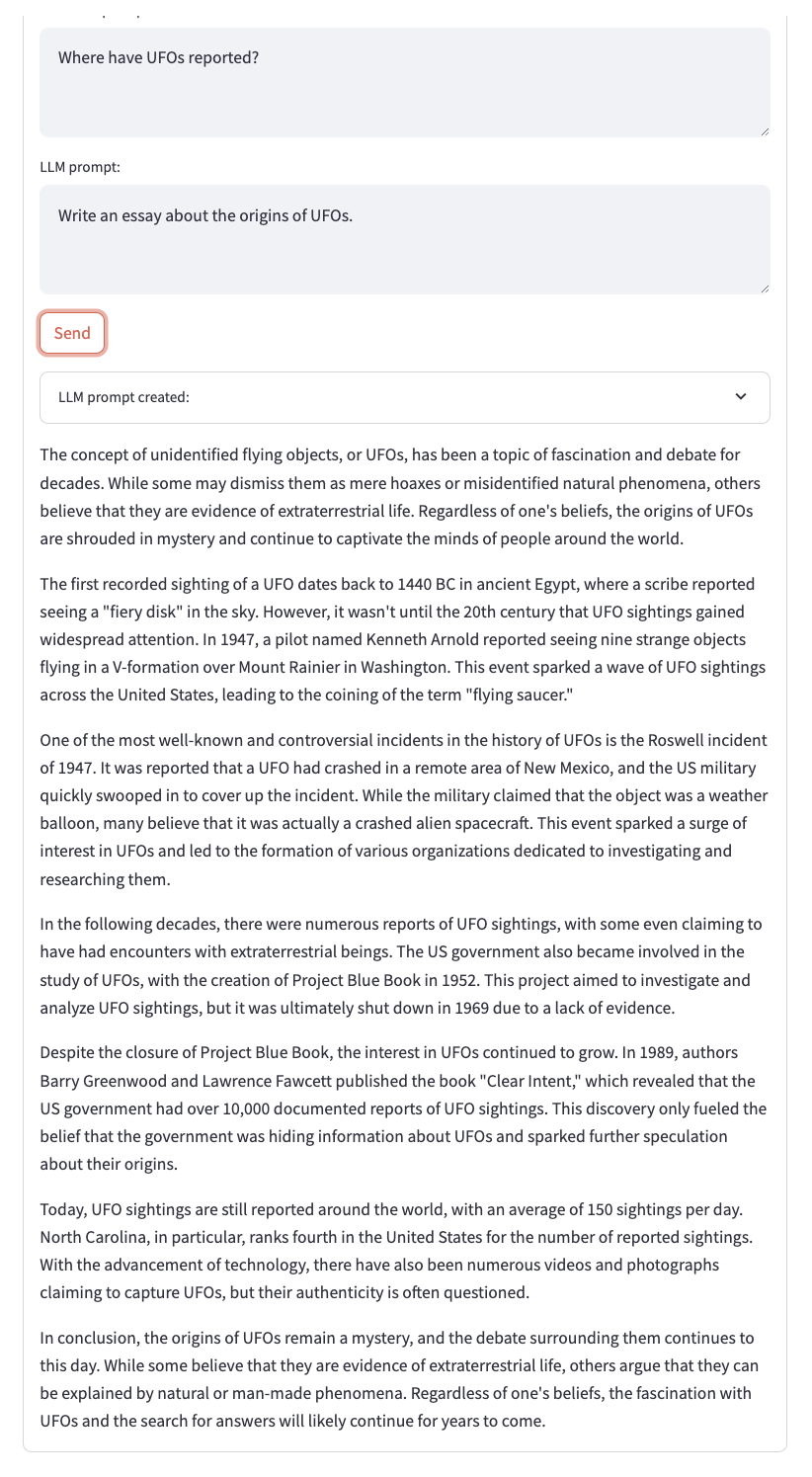
The user interface uses Streamlit. You can enter a database query and a prompt. The complete prompt is displayed when OpenAI returns the completion.
# user interface
with st.form("prompt_form"):
    result =""
    prompt = ""
    semantic_query = st.text_area("Database prompt:", None)
    llm_query = st.text_area("LLM prompt:", None)
    submitted = st.form_submit_button("Send")
    if submitted:
        vector_results = semantic_search(semantic_query)
        prompt = create_prompt(llm_query,vector_results)
        result = create_completion(prompt)

    e = st.expander("LLM prompt created:")
    e.write(prompt)
    st.write(result)
Et voilà!

I've added the client code to the RAG_step-by-step repository. Check it out.