Not long ago, high performance was defined by a team’s ability to manually juggle dozens of disconnected apps and endless email threads. Today, high-performing teams eliminate manual work with task automation software. It’s about building smarter systems that connect every part of the workflow.
Platforms like monday work management make automation accessible, helping teams reduce manual work and keep processes moving with clarity. To help you make a confident choice, this guide covers what to look for in a winning platform, how to choose the right one for your team, and compares the 15 best options for 2025.
Key takeaways
- Task automation software helps reduce manual work by running repeatable steps using rules and triggers.
- The most valuable platforms support no-code workflow building, cross-tool integrations, and scalable automation.
- Modern automation can include AI assistance to summarize updates, route work, and suggest next steps.
- monday work management offers no-code automations and integrations that help teams streamline processes and stay aligned.
What is task automation software?
Task automation software takes on repetitive, manual work that slows teams down. Using simple, predefined rules, it sends updates, assigns work, and moves items through stages without human intervention.
By unifying your essential tools on one platform, automation turns disconnected processes into a cohesive workflow. Instead of spending hours on administration, teams focus on analysis, creative problem-solving, and higher-value work.
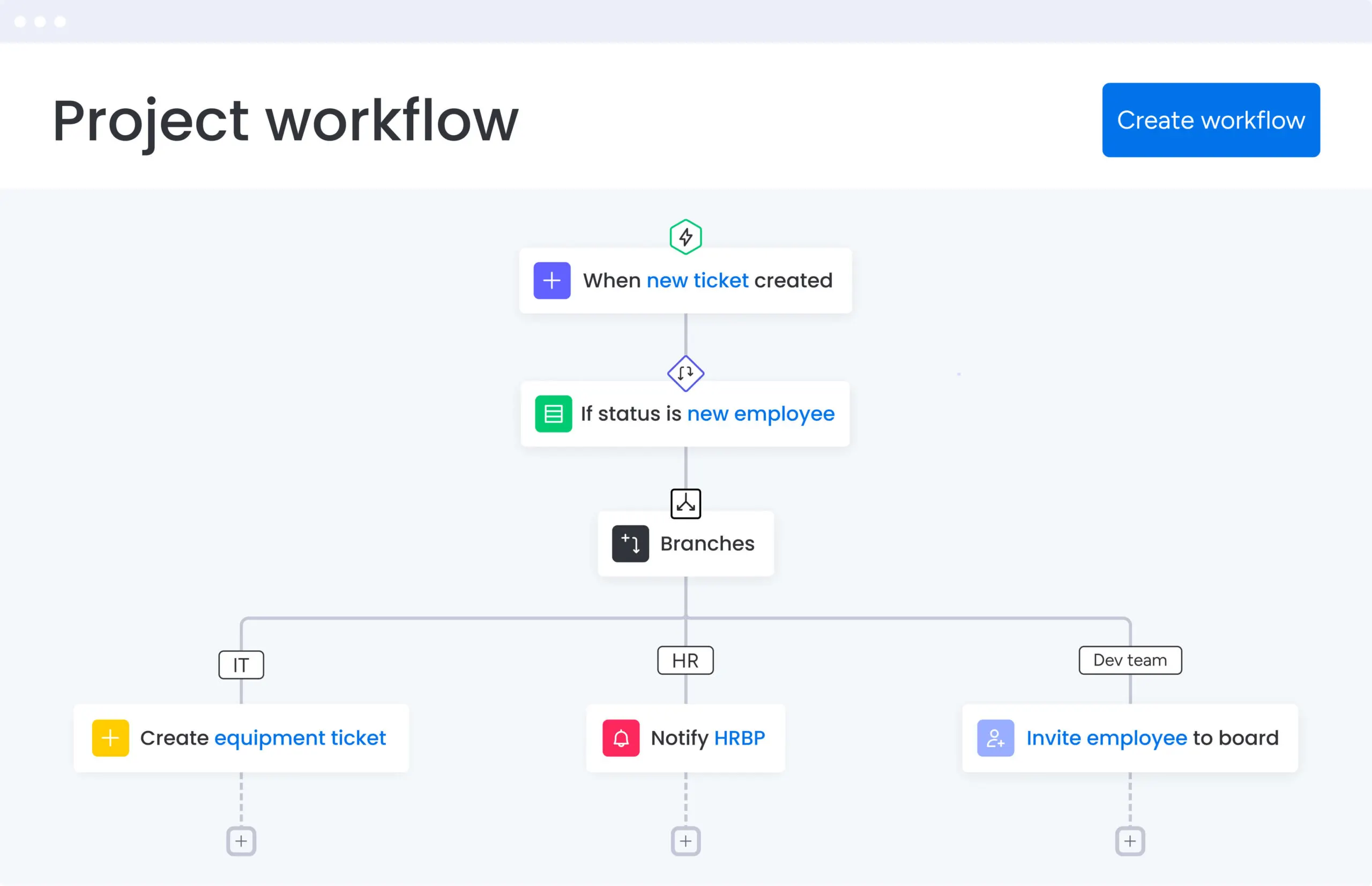
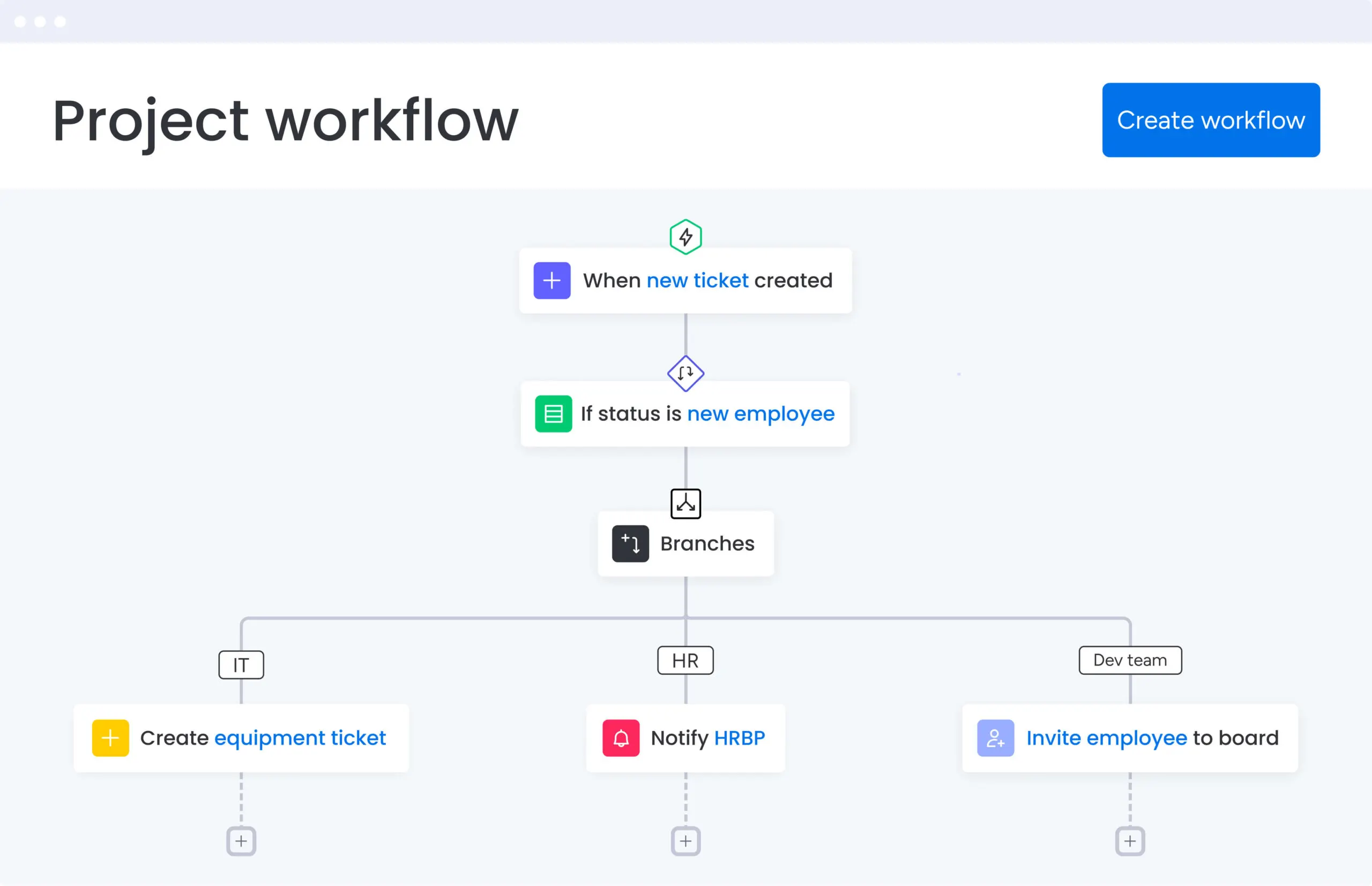
How task automation platforms work for modern teams
Think of automation as a set of clear “if this, then that” instructions tailored to daily work. You define the logic once — no coding required — and the platform handles the steps consistently, from routing requests to notifying stakeholders and updating status.
This structure keeps work moving. When a task is marked “Done,” the next owner is notified. New leads are captured and assigned automatically, so nothing falls through the cracks. Built-in AI can further streamline the process by summarizing updates, drafting messages, and suggesting next steps with minimal setup — freeing teams to focus on high-impact work.
What to look for in a winning automation platform
The right platform turns operational noise into a clear, scalable system. Prioritize options that combine powerful capabilities with an interface anyone can learn quickly, so teams can build reliable workflows without heavy lift.
Integrated AI capabilities
Look for practical AI that speeds routine work, surfaces insights, and suggests next steps. The goal is time saved and better decisions, not complexity.
Cross-platform compatibility
Ensure the platform connects to the tools your team already uses, creating one connected workflow across your tools and minimizing tab-switching.
Flexible workflow templates
A strong template library should provide a fast start while staying customizable. You want a system that adapts to your processes today and evolves with your business.
How to choose the right platform
Selecting a platform is more than a feature checklist. Start by identifying where friction lives—missed handoffs, slow approvals, or scattered updates—then test how well a tool addresses those bottlenecks in a small pilot.
Your goal is to pick a platform powerful enough for complex projects yet simple enough for team-wide adoption from day one. Look for clear governance controls, transparent usage limits, and the flexibility to support both quick wins and long-term scale.
15 best options for 2025
The right automation platform does more than check off tasks—it connects your people, projects, and processes into one unified workflow. That’s how teams move faster and stay aligned.
We’ve analyzed the top 15 platforms for 2025, comparing core strengths, integrations, and real-world performance across different team types. Use this guide to find the platform that eliminates friction and unlocks your team’s full potential.
1. monday work management
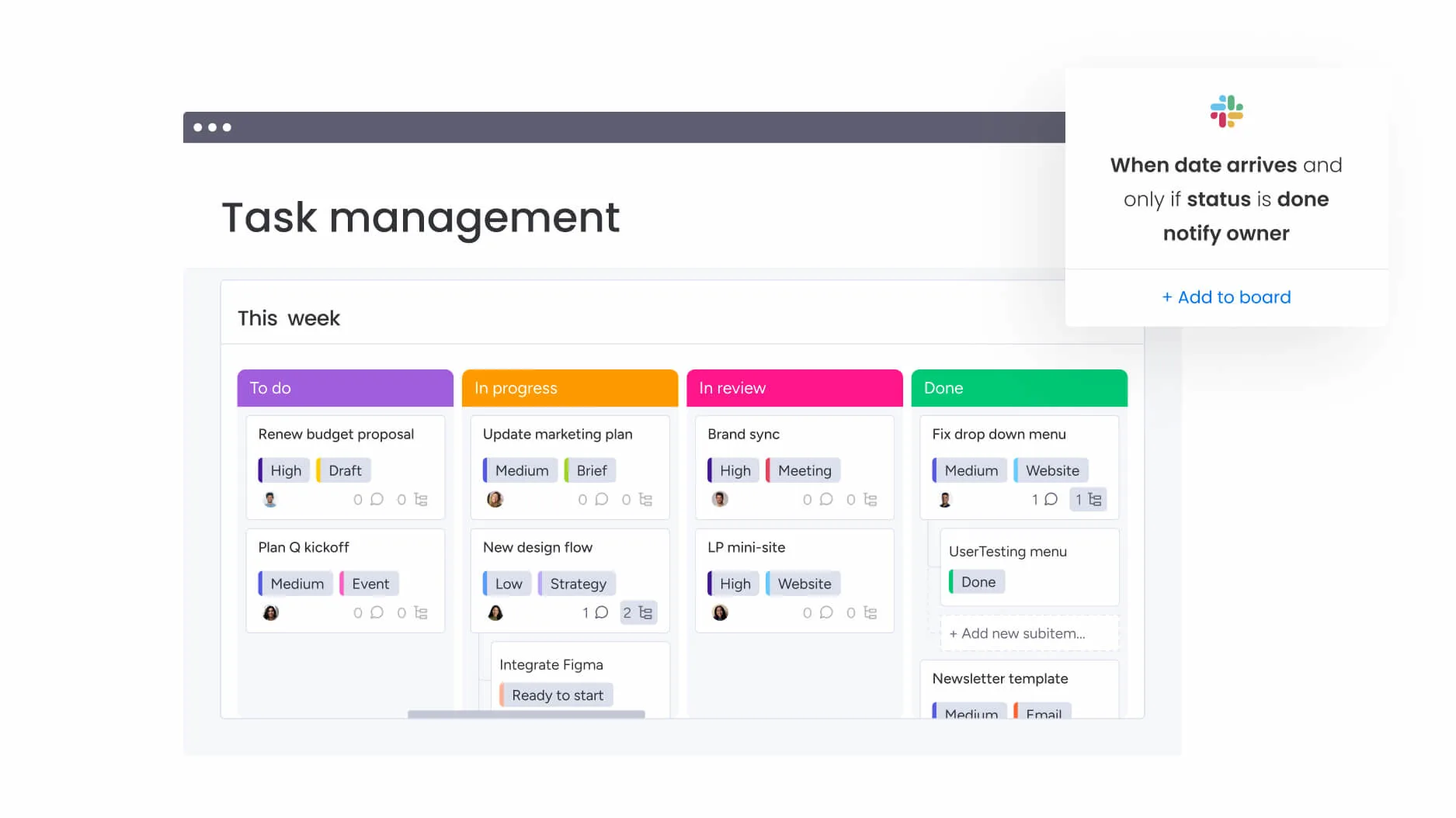
monday work management is a comprehensive work management platform that centralizes projects, processes, and team communication in one place. It offers no-code automation, customizable workflows, and extensive integrations, helping teams reduce manual work and move faster with clarity. Teams can build workflows suited to their structure, scale, and pace of execution.
Best for: Organizations coordinating cross-team workflows and looking to streamline execution across departments.
Key features:
- No-code automation recipes to standardize repeatable steps
- Cross-platform integrations with tools such as Slack, Google Drive, and Microsoft 365
- Multi-step automations that trigger actions across boards and teams
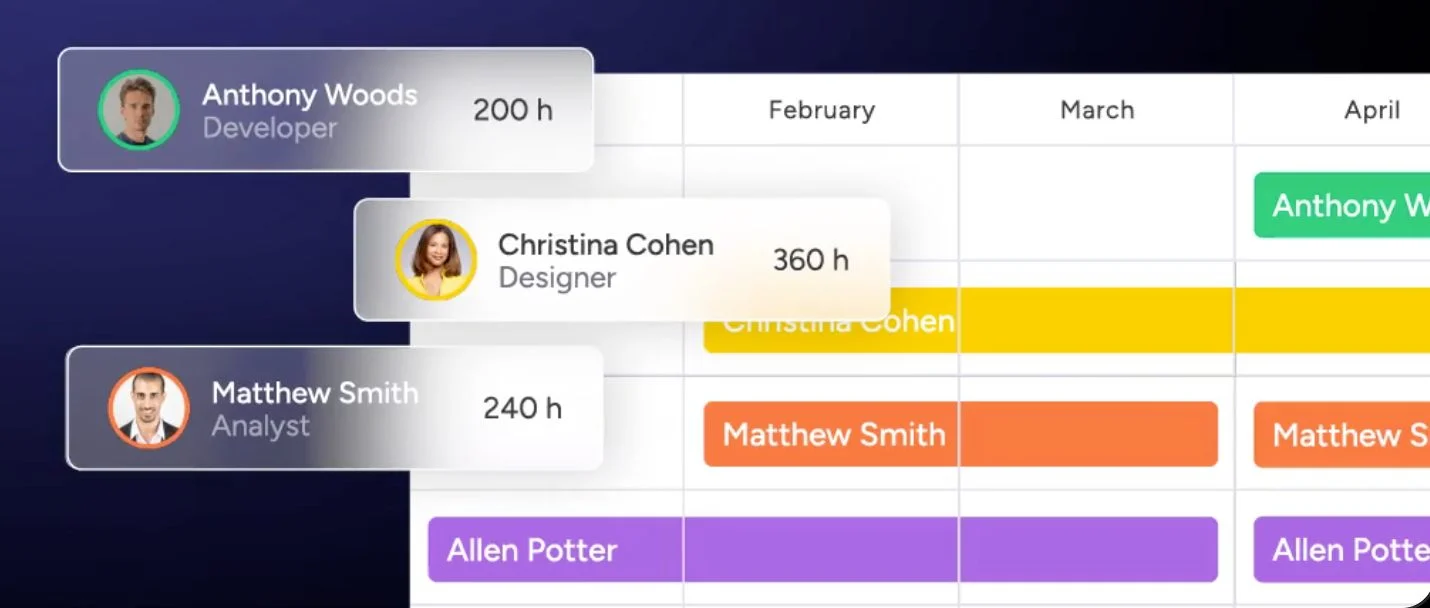
- Dashboards for tracking timelines, resources, and progress
- Customizable workflows adaptable to different teams and operating models
- Role and permission settings for controlled access and collaboration
Pricing:
monday work management offers flexible pricing plans for teams of all sizes, starting at approximately $9–$19 per seat/month depending on plan level and billing cycle. A free trial is available. Pricing scales based on seats, automation volume, and advanced governance needs.
Why it stands out:
- Visual automation builder: The intuitive interface makes creating complex automations as simple as filling out a form, with no coding knowledge needed.
- Scalable automation & integration limits: From 250 monthly actions on the Standard plan to 250,000 on Enterprise, the platform grows with your team’s needs.
- Enterprise-ready features: Get advanced security and control with multi-level permissions, advanced reporting, and built-in governance features to meet corporate compliance standards.
2. Asana
Asana helps teams coordinate work through project timelines, task assignments, and automation rules. It supports collaboration across projects where dependencies and structure are important to maintain progress and accountability.
Best for: Teams managing project plans with multiple owners and task dependencies.
Key features:
- Rule-based automation to move tasks, assign work, and send updates
- Timeline and calendar views for schedule visibility
- Workload view for capacity tracking
- Portfolio dashboards for multi-project visibility
- Integrations with Slack, Gmail, and cloud file tools
Pricing:
Asana’s paid plans typically started around $10–$25 per user/month depending on tier and billing cycle, with higher levels adding resource management and advanced reporting. A free tier is available for smaller teams.
Considerations:
- Automation features are not available on the free plan, limiting access for budget-conscious teams
- Some users find competitors like ClickUp offer more sophisticated automation capabilities with greater conditional logic control
3. Trello
Trello offers a visual board-based approach to organizing work. Its automation tool, Butler, helps teams reduce repetitive actions by applying rules, triggers, and scheduling to cards and boards.
Key features:
- Kanban-style boards for collaborative task management
- Butler automation for rules, buttons, and scheduled workflows
- Card-based organization with labels, checklists, and comments
- Template libraries for repeatable workflows
- Integrations with Slack, Gmail, and Jira
Pricing:
Considerations:
- Automation quotas can limit heavy users, especially on free and standard plans
- Complex multi-step workflows may require more advanced automation logic than Butler provides
4. ClickUp
ClickUp combines tasks, documents, chat, goals, and dashboards in one platform. Its automation builder supports conditional workflows that can be applied across projects and teams.
- Automation builder with conditional logic
- Multiple view options including List, Board, and Gantt
- Built-in docs and knowledge spaces
- Goal tracking and workload views
- Integrations with Slack, Teams, and cloud drives
Pricing:
Considerations:
5. Smartsheet
Smartsheet combines a spreadsheet-like interface with workflow automation and reporting tools. It supports structured planning and coordination across multiple initiatives.
- Grid and Gantt views for planning
- Automation rules for approvals and reminders
- Forms for structured data capture
- Portfolio dashboards for multi-project reporting
- Integrations with Microsoft and Google workplace tools
Considerations:
6. Wrike
- Custom workflow stages and status automation
- Dynamic request forms to route work
- Resource and capacity planning tools
- Time tracking and budgeting features
- Integrations with communication, file, and CRM systems
7. Basecamp
- To-do lists and task groups
- Automated check-ins to replace status meetings
- Message boards and shared files
- Schedules and lightweight reporting
- Integrations available through Zapier and others
8. Zoho Projects
9. Nifty
10. Todoist
- Natural language task entry and recurring scheduling
- Priority and label organization for sorting and filtering
- Shared project spaces for small team coordination
- Smart scheduling suggestions based on workload
- Integrations available through Zapier, Make, and IFTTT
11. Miro
- Infinite whiteboard workspace with structured templates
- Sticky notes, diagrams, and collaborative mapping tools
- AI support for summarization and clustering
- Integrations with tools like Jira, Slack, and Figma
- Permissions and access controls for shared boards
12. Hive
13. Notion
- Linked databases to connect related work
- Custom properties and triggers for workflow changes
- Collaborative documents and shared editing
- Multiple views such as Board, Gallery, Table, and Calendar
- Integrations with chat and storage platforms, plus webhook support
- Native automation capabilities are more limited compared to dedicated automation platforms, often requiring third-party integrations for complex workflows
- The learning curve can be steep for new users due to the platform’s extensive customization options and flexibility
14. Airtable
15. Adobe Workfront
Are you ready to streamline your organization?
FAQs
